1
ASM-60 Installation and Operation Manual
Chapter 5 Diagnostics
Alarms
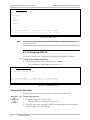
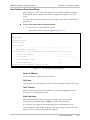
DCD Failed
>
ESC - previous menu ; ! - main menu ; & - exit terminal
-------------------------------------------------------
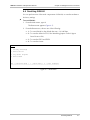
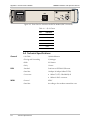
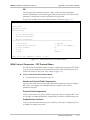
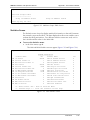
Figure 5-1. Alarms Screen
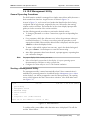
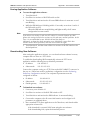
The display of the Alarms screen includes only the name of the alarm.
Once the event that caused the alarm is cleared, the ALM indicator turns off. You
have to exit the Alarms screen to refresh its display and access the screen again to
assure that the alarm was removed from the temporary buffer.
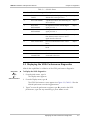
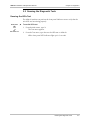
Working with the Log File
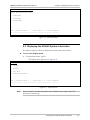
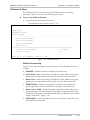
Main Menu
↓2
Display
↓3
Log File
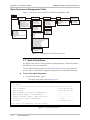
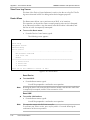
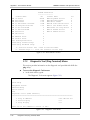
To access the log file:
1. From the Main menu, type 2, and press <Enter>.
The Display menu appears.
2. From the Display menu, type 3, and press <Enter>.
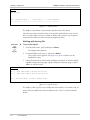
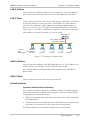
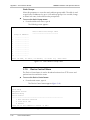
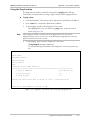
The Log File screen appears (see Figure 5-2). Up to 12 alarms can be
displayed at a time.
3. Follow the instructions at the bottom of display and type C to clear the log file,
type N to display the next page, type P to display the previous page, or press
<Esc> to exit the log file.
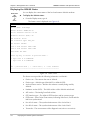
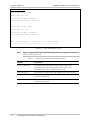
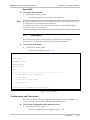
Log File
No. 1
No. 2
SYNC LOSS LINE A Status ON T=0:0:0
SYNC LOSS LINE A Status ON T=0:0:20
ESC - Previous Menu, C-Clear, N-Next Page
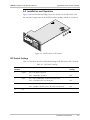
Figure 5-2. Log File Screen
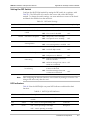
The display of the Log File screen includes the serial number of an alarm event, its
name, and time elapsed since the last ASM-60 reset. Table 5-1 lists the ASM-60
alarms.
5-2
Error Detection