1
User's Guide
Printing a menu settings and network setup page.................................................................................. 37
4—Loading paper and specialty media ....................................................................................................... 38
Setting the paper size and type .............................................................................................................. 38
Configuring Universal paper settings ...................................................................................................... 38
Using the standard bin and paper stop ................................................................................................... 39
Loading trays .......................................................................................................................................... 40
Loading the multipurpose feeder ............................................................................................................ 44
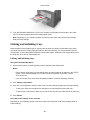
Linking and unlinking trays ..................................................................................................................... 48
Linking and unlinking trays ................................................................................................................. 48
Configuring a custom paper type name ............................................................................................. 49
Configuring a custom paper type ....................................................................................................... 49
Assigning a custom paper type .......................................................................................................... 50
5—Paper and specialty media guide .......................................................................................................... 51
Paper guidelines ..................................................................................................................................... 51
Paper characteristics .......................................................................................................................... 51
Unacceptable paper ........................................................................................................................... 52
Selecting paper................................................................................................................................... 52
Selecting preprinted forms and letterhead ......................................................................................... 53
Using specialty media ............................................................................................................................. 53
Tips on using card stock ..................................................................................................................... 53
Tips on using envelopes ..................................................................................................................... 54
Tips on using labels ............................................................................................................................ 55
Tips on using letterhead ..................................................................................................................... 55
Tips on using transparencies ............................................................................................................. 56
Storing paper .......................................................................................................................................... 56
Supported paper sizes, types, and weights ............................................................................................ 56
Supported paper sizes ....................................................................................................................... 56
Supported paper types and weights ................................................................................................... 58
6—Printing................................................................................................................................................... 60
Printing documents ................................................................................................................................. 60
-3-