1
User's Guide
Contents
1—Safety information.................................................................................................................................... 8
2—Learning about the printer ..................................................................................................................... 12
Finding information about the printer ...................................................................................................... 12
Selecting a location for the printer .......................................................................................................... 13
Printer configurations .............................................................................................................................. 14
Using the printer control panel ................................................................................................................ 15
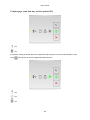
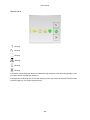
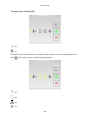
Understanding the printer control panel light sequences ....................................................................... 16
Using the Embedded Web Server .......................................................................................................... 21
Using the Local Printer Settings Utility ................................................................................................... 21
3—Additional printer setup .......................................................................................................................... 22
Installing internal options ........................................................................................................................ 22
Available internal options ................................................................................................................... 22
Accessing the controller board ........................................................................................................... 22
Installing an optional card ................................................................................................................... 23
Installing hardware options ..................................................................................................................... 25
Installing optional trays ....................................................................................................................... 25
Attaching cables ................................................................................................................................. 27
Accessing the controller board ........................................................................................................... 28
Setting up the printer software ................................................................................................................ 29
Installing the printer driver .................................................................................................................. 29
Installing the Local Printer Settings Utility .......................................................................................... 30
Networking .............................................................................................................................................. 31
Preparing to set up the printer on an Ethernet network ..................................................................... 31
Installing the printer on an Ethernet network ...................................................................................... 31
Preparing to set up the printer on a wireless network ........................................................................ 34
Connecting the printer to a wireless network using the Wi-Fi Protected Setup PIN .......................... 35
Connecting the printer to a wireless network using the printer software ............................................ 36
Connecting the printer to a wireless network using the Embedded Web Server ............................... 36
-2-