1
CHAPTER 3: OPERATING AN ASCII DEVICE WITH THE AUATC TERMINAL CONVERTER
9
Buffer Edit Mode
The AUATC stores the most recent eight pages of data from the ASCII device in a circular buffer. You can edit the
data in the buffer.
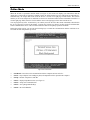
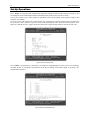
To operate the AUATC in Edit Buffer Mode, press the <Alt-F4>. The AUATC will switch from On-Line Mode to
the Buffer Edit Mode (Figure 6). Now you can view the contents of the buffer using <Page Up>, <Page Down>,
<Home>, <End>, and the arrow keys to position the viewing cursor.
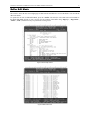
Figure 5 AUATC Help Screen
Figure 6 Buffer Edit Screen