1
[ 71 ]
CCNP SWITCH 642-813 Quick Reference
CHAPTER 5
by Denise Donohue
Implementing High Availability
called a responder. IP SLA probes can simulate various types of traffic, such as HTTP, FTP, DHCP, UDP jitter, UDP
echo, HTTP, TCP connect, ICMP echo, ICMP path echo, ICMP path jitter, and DNS, and can report statistics such as
path jitter. It has highly granular application configuration options such as TCP/UDP port numbers, TOS byte, and IP
prefix bits. This is useful for measuring application performance end-to-end across your network. It can also be used to
track reachability and then decrement HSRP priority values or bring up secondary links. Additionally, IP SLA can also be
used as a measure of reliability and continuous availability. SNMP traps can be generated from events such as connection
loss, timeout, roundtrip time threshold, average jitter threshold, one-way packet loss, one-way jitter, and one-way latency.
To enable IP SLA, configure the source to send the required type of data probes. The receiver can be a computer, or it can
be another Cisco device. The configuration of a Cisco responder is simple. Use the global ip sla responder command.
One benefit of using a Cisco device as the responder is that it can add time stamps to help measure latency and jitter.
These time stamps take into account the device processing time so that the measurement reflects only network latency.
The configuration of the IP SLA source is more complex. You must create a monitor session, list the traffic type, responder IP address, and any other desired variables such as DSCP value. Then you schedule the probes. Optionally configure
tracking using the IP SLA session. The following commands set up an IP SLA session that measures UDP jitter for a
voice port. Traffic is sent every 120 seconds, starting when the last command is given and continues until it is manually
stopped.
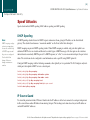
sw1(config)#ip sla 1
sw1(config-ip-sla)#udp-jitter 10.1.1.3 65422 codec g729a
sw1(config-ip-sla-jitter)#frequency 120
sw1(config-ip-sla-jitter)#exit
sw1(config)#ip sla schedule 1 life forever start-time now
© 2010 Pearson Education, Inc. All rights reserved. This publication is protected by copyright. Please see page 112 for more details.