1
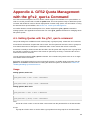
Appendix A. GFS2 Quota Management
with the gfs2_quota Command
As of the Red Hat Enterprise Linux 6.1 release, GFS2 supports the standard Linux quota facilities. In
order to use this you will need to install the quota RPM. This is the preferred way to administer quotas
on GFS2 and should be used for all new deployments of GFS2 using quotas. For information on using
the standard Linux quota facilities, see Section 3.5, “GFS2 Quota Management”.
For earlier releases of Red Hat Enterprise Linux, GFS2 required the gfs2_quota command to
manage quotas. This appendix documents the use of the gfs2_quota command for managing GFS2
file system quotas.
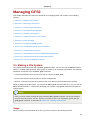
A.1. Setting Quotas with the gfs2_quota command
Two quota settings are available for each user ID (UID) or group ID (GID): a hard limit and a soft limit.
A hard limit is the amount of space that can be used. The file system will not let the user or group use
more than that amount of disk space. A hard limit value of zero means that no limit is enforced.
A soft limit is usually a value less than the hard limit. The file system will notify the user or group when
the soft limit is reached to soft them of the amount of space they are using. A soft limit value of zero
means that no limit is enforced.
You can set limits using the gfs2_quota command. The command only needs to be run on a single
node where GFS2 is mounted.
By default, quota enforcement is not set on GFS2 file systems. To enable quota accounting, use the
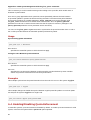
quota= of the mount command when mounting the GFS2 file system, as described in Section A.4,
“Enabling/Disabling Quota Enforcement”.
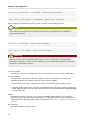
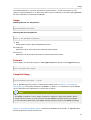
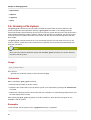
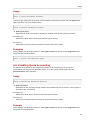
Usage
Setting Quotas, Hard Limit
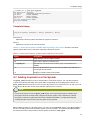
gfs2_quota limit -u User -l Size -f MountPoint
gfs2_quota limit -g Group -l Size -f MountPoint
Setting Quotas, Warn Limit
gfs2_quota warn -u User -l Size -f MountPoint
gfs2_quota warn -g Group -l Size -f MountPoint
User
A user ID to limit or warn. It can be either a user name from the password file or the UID number.
Group
A group ID to limit or warn. It can be either a group name from the group file or the GID number.
43