1
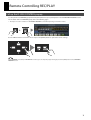
Remote Controlling the Song Setup
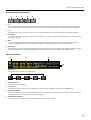
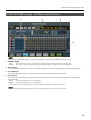
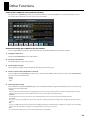
R-1000 MARKER popup - Part Names and Functions
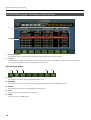
fig.marker-popup.eps
1
2
1.
Device and Time display
This shows same contents as PATCHBAY popup and CONTROL popup.
2.
Marker list
This shows the list of markers added to the current song. The information below is shown in this list.
• NO.
• NAME
• TIME
Number of the marker
Name of the marker. If no name is added, the TIME value is shown.
Position of the marker.
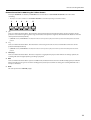
About Function Buttons
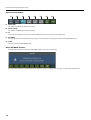
F1 through F4 and F8 function buttons are the same as R-1000 CONTROL popup.
fig.function-marker.eps
F5
F6
F7
F5 LOCATE TO
This makes current position jump to the marker location immediately before the current position.
F6 MARKER CLEAR
This deletes the marker immediately before the current position.
F7 MARKER SET
This adds a new marker to the current position.
You can add a new marker to the current position when the R-1000 CONTROL popup is opened. Hold down [SHIFT] button of the V-Mixer and
press [F7] function button to select [MARKER SET].
23