1
Selecting Images
Selecting Images with the Mouse
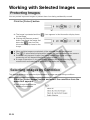
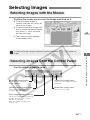
Position the mouse cursor over the image and click on it.
● To select multiple images at
random, hold down the <shift> key
and click the images.
● To select consecutive images, click
the first image and then hold down
the <option> + <shift> keys and
click the last image.
\ The frame around the selected
image changes color.
M
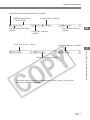
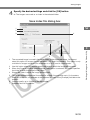
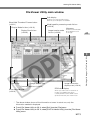
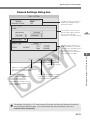
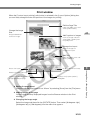
Selecting Images from the Control Panel
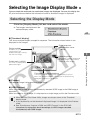
Use the button or input a value.
[Select first Image] button
[Select final image] button
Selects the first thumbnail
image displayed.
Selects the last thumbnail image
displayed.
[Select Previous Image] button
[Select Next Image] button
Selects the image before the
currently selected image.
Selects the next image.
[Enter Image Number] input box
Selects the image with the specified
number. You can enter a number
between 1 and 9999.
Enter the number and press the
<return> key.
M-17
3
Working with Images in File Viewer Utility
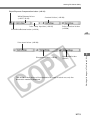
To select an image using the keyboard, use the arrow keys (↑ ← → ↓) to select an
image.