1
The Tool Development Kit
(continued)
22
Custom Tool Development
Environment (continued)
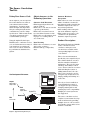
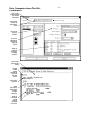
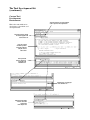
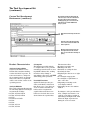
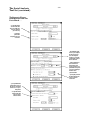
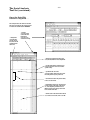
This window provides the information and
icon necessary to create an installable tool.
Once your code has been created and is
working properly, you can create an installable tool for use on other 16700A Series
analysis systems.
Name the tool and manage versions of it
here.
Select the icon for the tool here. New
icons can be created and added to the
toolbar if you like.
Add your tool descriptions here. This
description will be visible at install
times, so users will know what they are
getting.
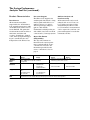
Product Characteristics
Analyzer Compatibility
Custom tools will run on any
16700A Series analyzer running
version A.01.40.00 or greater. In
some rare instances, changes in
the operating system can require
that your tools be recompiled in
order to run on that version of the
operating system.
Analysis Modules
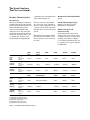
The tool development kit supports
the following Agilent Technologies
measurement modules:
• 16715A, 16716A, 16717A
• 16710A, 16711A, 16712A
• 16557D
• 16556A/D, 16555A/D
• 16554A
• 16550A
• 16534A, 16533A
• 16517A, 16518A
C Compiler
The libraries provided with the
C compiler allow you to perform
standard operations such as creating ASCII or binary files, reading
from these files, writing or
appending to these files, and IEEE
754 floating point operations.
Provided Functions
Agilent Technologies also provides a rich library of functions
that allow you to copy data sets,
create new data sets with new
labels, and to reorganize the
acquired data under these new
labels or to include data or text
derived from the acquired data.
The functions allow:
• Stopping a repetitive run
• Filtering of the data
• Randomly accessing the data
• Searching the data
• Displaying the data in one of eight
colors
• Accessing the trigger point
• Accessing the acquired time or
state of the data
• Outputting text strings to the
tool’s display window
• Outputting errors to the runtime
window
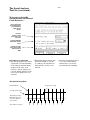
By using two of the provided functions, a simple user interface can
easily be created that consists of
label strings and input fields. This
allows the input of parameters
during the tool’s execution.