1
Remote Controls
Controlling Other Components
Controlling a Tuner or Amplifier
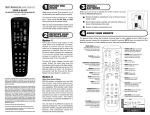
Use the following remote control buttons to control a tuner or amplifier. When the remote control is
set up as described on pages 75 and 79, press the AUX mode button to set the remote to AUX
mode. The AUX mode button will stay lit for two seconds to show you’ve set the remote to AUX
mode. Make sure to keep the remote in AUX mode to use the following buttons.
AUX Mode
To use the features described in this section, make sure
youi are in AUX mode by pressing the AUX Mode button.
AUX
Press this
button for
AUX Mode
Power
Turns the
tuner/amplifier
on and off
Arrows/Select
Buttons
Volume & Mute Buttons
Control tuner/amplifier
volume
Channel up/down
with the Arrow buttons.
Change tuner/amplifier
inputs with the Select
button
Switching Between TV and Tuner/Amplifier Volume Adjustment
When the remote control is setup to operate your TV, the VOLUME and MUTE buttons
will adjust your TV volume. If you prefer the volume and mute functions of the remote control to
adjust the volume of a remote-controllable audio tuner or amplifier instead of the TV, this capability
can be set up using the AUX mode of the remote control.
To set the remote to adjust the tuner/amplifier volume (steps 1-5 set up the remote and steps 6-7
make sure the remote is set up correctly):
3
1
AUX
Press and hold the
AUX Mode buttton for
four seconds
(button will flash)
2
VOLUME
Press the plus
Press side of VOLUME
POUND
4
5
Press
ZERO
6
Press
SAT
POUND
Press
(AUX button
will flash 3 times) SAT Mode
7
Test to make
sure volume
works on device
79