1
Section 6
OS/2 ADD Installation
(QL21OS2.ADD)
6.1
Introduction
This section provides instructions for installing OS/2 Warp version 4 and the OS/2
ADD driver under the following operating system conditions:
❑ Initial installation of the OS/2 Warp operating system and the OS/2 ADD
driver
❑ Installation of the OS/2 driver in a previously installed OS/2 Warp operating
system
6.2
OS/2 ADD Files and Switch Options
The latest version of the software drivers and documentation for OS/2 are available
on the QLogic web site. Be sure to review the README.TXT file for both new
and changed information.
The switch options listed in table 6-1 may be appended to the BASEDEV= line in
your CONFIG.SYS file when installing the OS/2 ADD.
Table 6-1. OS/2 ADD Switch Options
Switch
Description
/A:d
This switch specifies the adapter (0-3) to which the following
command line parameters apply.
/I
When enabled, this switch ignores the specified adapter. This
switch must follow the /A:d switch.
/DM /!DM
FC0153301-00 D
This switch enables (/DM) or disables (/!DM) direct access
storage device (DASD) manager support for the QLA2xxx board
and its attached devices. Add :d,d,d to the end of the switch to
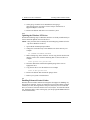
specify a list of SCSI IDs, or add :(d,d),(d,d),(d,d) to specify
ID,LUN pairs. By default, this switch is enabled.
6-1