1
Direct PDF File Printing
our printer has the ability to print PDF files directly just as it does for
PostScript and PCL files. This can be a time-saving feature. Direct printing
removes the need to open the file in an application, such as Acrobat Reader,
then print the file via a PostScript or PCL driver. You printer supports PDF
version 1.3 and below. The PDF file can be sent to the printer using any
method (lpr, ftp, etc.) that is normally used to print PostScript or PCL files.
Direct PDF printing requires an optional internal hard disk.
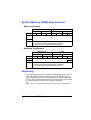
Adjusting Memory Clients for PDF Printing
The unique structure of PDF files requires that you make some adjustments
to your printer’s default memory clients. All PDF files contain information at
the end of the files that is needed to correctly format them in the printer.
Because of this, the entire file must be spooled into the printer before it can
be interpreted. In order to spool the entire job into the printer, the Host Input
(Spool) memory client may need to be adjusted. To determine the required
size for the Host Input memory client, you first need to estimate the maximum
file size, add 10% to this number and this becomes your required Host Input
memory size. In the event that you experience problems, you may want to
increase the Host Input memory size further. The maximum size of PDF files
which may be printed on the magicolor 3300 is determined by the amount of
installed memory. Direct printing of complex or large PDF files may require
additional memory (RAM) and/or a hard disk. We recommend a hard disk for
optimum performance when printing large PDF files. Refer to the Crown
Books on how to adjust the memory clients.
Printing Preformatted Files Using CrownView
Your printer also provides a utility via the CrownView web page for printing
PDF files directly from the host using the browser. Users will be presented
with a Browse button that, when selected, will enable a file chooser on the
host. Users then select the file that they want to send to the printer, and the
file is transferred and printed.
Troubleshooting PDF Direct Printing from CrownView
If you are having problems printing large PDF files using direct printing or
CrownView from a PC or UNIX, increase the PS Wait Timeout.
Printing large PDF files from your web browser with the KONICA MINOLTA
CrownView feature may fail without any indication of an error. The job will
appear to start normally, but then flush without printing. The CrownView
screen will indicate that the file has printed.
82
Direct PDF File Printing