1
Setup
2.
3.
4.
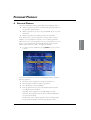
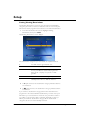
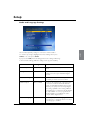
To restrict a classification category, use U and D to highlight it,
then press L or R to select the
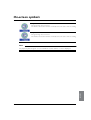
symbol. To remove the
restriction, press L or R to select the ✔ symbol.
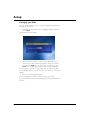
Repeat step 2 to make all the changes you want.
To save your changes, highlight ‘Save New Settings’ then press
select, or to cancel, press back.
Notes
If you press the red button to reset all the settings, the settings will
change to the standard settings.
The standard setting is that any programme broadcast with the ‘R’
classification will be restricted, but you can remove this restriction if
you wish by following the steps above.
Viewing restrictions work only if the broadcaster provides
classification category information. FOXTEL is not responsible for
channels providing incorrect classification information.
SETUP
Setting Purchase Restrictions
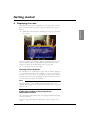
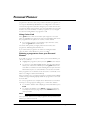
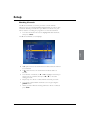
The Purchase Restrictions screen lets you choose whether or not you
need to enter your PIN to purchase a Box Office programme.
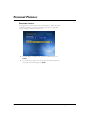
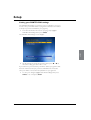
1. From the Parental Control screen, highlight ‘Purchase
Restrictions’ then press select.
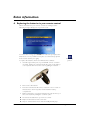
The Purchase Restrictions screen displays.
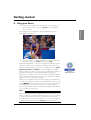
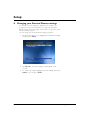
On the ‘Purchase by PIN’ item, press L or R to select the
setting you want - ‘On’ or ‘Off ’.
If you select ‘On’, you must enter your PIN to purchase a Box Office
programme.
3. To save your changes, highlight ‘Save New Settings’ then press
select, or to cancel, press back.
2.
47