1
Welcome to FOXTEL
Your FOXTEL remote control
FOXTEL
Takes you from the TV Guide (or
any FOXTEL Digital screen) to the
last channel you were watching
Takes you back to FOXTEL after
you have been using 'AV mode'
av
Switches to ‘AV mode’, to use
your VCR, or other item
connected through your FOXTEL
iQ
box office
To order movies and events from
the FOXTEL Box Office
tv guide
Displays your FOXTEL Digital
Guide’s programme listings
setup
Displays the Setup screen, to alter
your FOXTEL iQ's settings
vol + and –
Changes the volume up or down
mute
Turns the sound on or off
back
Jumps back to the previous screen
rewind
Rewinds the programme
pause
Pause the programme or starts a
‘Live Pause’ recording
play
Plays a recorded programme
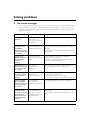
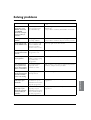
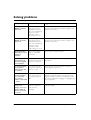
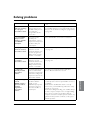
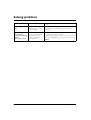
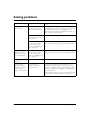
Before calling FOXTEL for troubleshooting assistance,
please run through the following steps:
S
Puts your set-top unit into or out
of standby
active
Displays the Active menu for
FOXTEL’s range of interactive
services
Check
when
complete
planner
Displays your Personal Planner
i
Displays more information about a
programme
ch + and –
Changes channel and pages up
and down through listings in the
TV Guide and Personal Planner
arrow buttons
U, D, L, R
Moves the highlight around the
screen
select
Confirms a choice or makes a
selection
Also displays the i-search banner
help
Tunes to the Customer Care
channel or displays help
information
colour buttons
Use to select the matching colour
option shown on screen, or as
explained in this User Guide.
Also, the red button launches an
active service when you see the
red button on your TV screen
stop
Stops playback of the programme
record
Records the programme
10-2246B-inner_cover.indd 1
number buttons (0-9)
Use to change channel, enter
numbers and select on-screen
options
What do I do next?
Is the power lead from your FOXTEL iQ
connected to the power point and the power
turned on?
If not, connect the
power lead and turn
on the switch at the
power point
Is the FOXTEL iQ standby button green?
If not, press the
standby button on
your FOXTEL iQ
Is the television on the A Channel?
If yes, ensure you have
pressed the FOXTEL
button on the remote
control
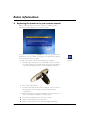
Is the smartcard inserted correctly?
Ensure the gold chip is
facing down and the
arrow on the top of
the smart card is facing
your FOXTEL iQ
Is the FOXTEL cable from the FOXTEL
wallplate to your FOXTEL iQ tightly secured?
If not, tighten the
FOXTEL cable to the
wallplate and your
FOXTEL iQ
Are the leads from your FOXTEL iQ to the
TV connected?
If not, connect the
leads
Try performing a 'soft re-boot' of your
FOXTEL iQ by pressing the back and select
buttons simultaneously on the front panel of
your FOXTEL iQ.
Once this is complete,
press the standby
button on your
FOXTEL iQ
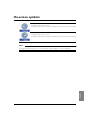
Important TV care information
Do not allow a still image to be displayed on your TV screen for an extended period of time. This can
cause a permanent residual image (‘burn-in’) remaining on your screen. Examples of still images include:
- Channel logos and certain channel formats;
- Images displayed in a 4:3, 14:9 and 16:9 mode that are different to your TV set up;
- On-screen information (ie Tickers and Active features) that are part of programmes;
- Electronic Programme Guides;
- Games and voting features;
- Audio channels.
Plasma, Rear Projection and LCD televisions are at a higher risk of burn-in. These televisions are more
prone to burn-in during the first 200 hours of use.
Always consult your television manufacturer’s manual for proper operating instructions.
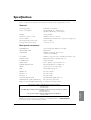
Version 1.1 February 2005
This product incorporates copyright protection technology that is protected by U.S. patents and other intellectual property rights.
Use of this copyright protection technology must be authorised by Macrovision, and is intended for home and other limited pay
per view uses only, unless otherwise authorised by Macrovision. Reverse engineering or disassembly is prohibited.
DOLBY
fast forward
Fast forwards the programme
What should I check?
A product with the Dolby Digital decoder system. Manufactured under license from Dolby Laboratories. “Dolby”, and the
double-D symbol are trademarks of Dolby Laboratories. All rights reserved.
Declaration of Conformity No. 3206 (cable); 3207 (satellite)
Trade Mark of the DVB Digital Video Broadcasting Project (1991 to 1996)
If you require troubleshooting assistance, please call FOXTEL on
131 999
22/2/05 8:36:13 am