1
SuperPen Operation Manual, Version 2.34
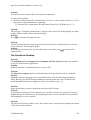
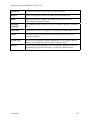
Selecting an Application................................................................................ 80
Managing Files.............................................................................................. 81
Editing Files .................................................................................................. 82
Searching for Text in a File ........................................................................... 84
Printing a File ................................................................................................ 84
Managing Pens on the QuickLink Desktop.................................................. 84
Adding a Pen ................................................................................................ 85
Renaming a Pen ........................................................................................... 85
Removing a Pen ........................................................................................... 85
Setting the Current Pen ................................................................................ 85
Communicating between the SuperPen and the Computer....................... 86
Communications Settings ............................................................................. 86
Using the Add/Remove Pen Components Dialog Box ................................. 87
Rearranging SuperPen Applications............................................................ 91
Reallocating Flash Memory........................................................................... 91
Memory Status.............................................................................................. 91
Compacting Your SuperPen ......................................................................... 91
Optimizing the SuperPen File System .......................................................... 92
Part 9: Maintaining and Troubleshooting the SuperPen
93
Maintaining...................................................................................................... 93
Updating and Upgrading Software................................................................ 93
Care and Cleaning ........................................................................................ 93
Batteries........................................................................................................ 93
Backing Up Data ........................................................................................... 93
Troubleshooting ............................................................................................. 94
Turning on the SuperPen.............................................................................. 94
Scanning and Display ................................................................................... 94
Memory ....................................................................................................... 100
Communications ......................................................................................... 100
Updating...................................................................................................... 102
The QuickLink Desktop............................................................................... 103
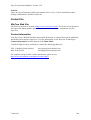
Contact Us..................................................................................................... 104
WizCom Web Site....................................................................................... 104
Contact Information..................................................................................... 104
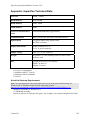
Appendix: SuperPen Technical Data
105
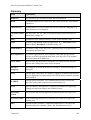
Glossary
106
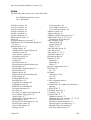
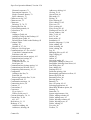
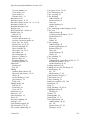
Index
108
How to Use this Manual
3