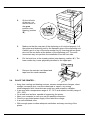
1
3.
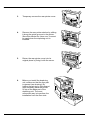
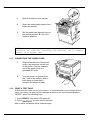
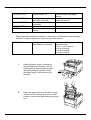
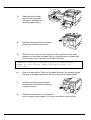
Temporary remove the rear printer cover.
4.
Remove the rear printer stacker by sliding
it along the guide grooves in the printer.
Store this stacker for future use. It cannot
be used when the duplexing unit is
installed.
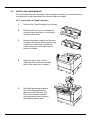
5.
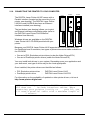
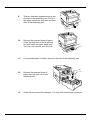
Return the rear printer cover into its
original place by fixing it with the screw.
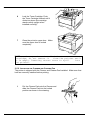
6.
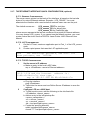
Before you install the duplexing
unit, make sure that the rear part
is opened (see drawing). By
holding the printer by its transport
grips, carefully place the printer
on top of the base part of the
duplexing unit. The most
convenient way is to perform the
installation from the front side.
Installation Guide DIGITAL Laser Printer LN15
9