1
FORMS DESCRIPTION LANGUAGE
Description commands
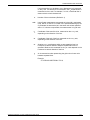
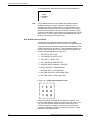
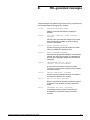
The description commands specify the location, size, and
characteristics of the form elements: lines, boxes, logos, graphics,
form sections, and text.
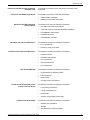
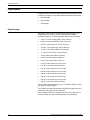
The commands used for entering descriptive form data are:
•
•
•
•
•
•
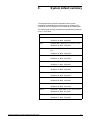
LINE
BOX
TEXT AT
TEXT IN BOX
LOGO
GRAPHIC
These commands may be entered in any sequence. (For a
discussion of problems you may encounter when entering these
commands, refer to the “Forms layout considerations” chapter.)
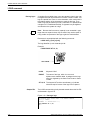
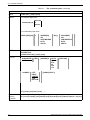
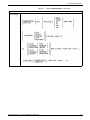
Location coordinates
The locations are specified in terms of the y and x axis coordinates,
measured from the form origin specified in the GRID command.
Generally the form origin is set to coincide with the variable data
origin, and the grid units correspond to the character and line spacing
of the variable data. The form origin coordinates are specified as y=0,
x=0.
Both x and y coordinates may be given, or just one coordinate along
the y or x axis. If only one coordinate is given, the axis is implied in
the command.
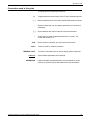
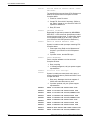
Symbols for coordinates
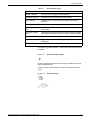
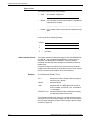
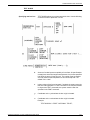
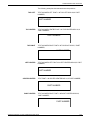
Five symbols are used in the description commands to symbolize
different coordinates, as follows:
co
Origin coordinate
cs
Start coordinate
ce
End coordinate
ca
Absolute coordinate
ci
Incremental coordinate
The coordinate parameter may be followed by the unit of
measurement: inches (IN), centimeters (CM), or DOTS. If units of
measurement are not given in the command, the coordinates are in
grid units.
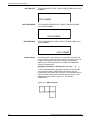
Negative coordinates
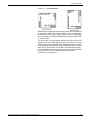
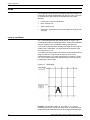
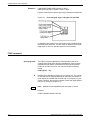
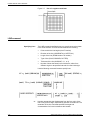
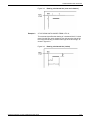
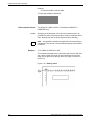
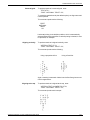
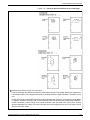
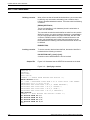
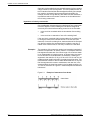
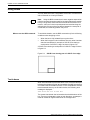
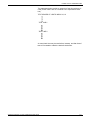
Negative coordinates also may be used. A negative y coordinate is
measured upward from the form origin. A negative x coordinate is
measured to the left of the form origin. For example, a vertical line
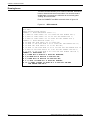
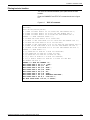
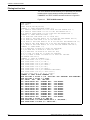
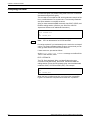
starting at x = -1 would appear to the left of the form grid as shown in
figure 3-7. When you use negative numbers, be sure to stay within
the boundaries of the system page.
XEROX DOCUPRINT 180 LPS FORMS CREATION GUIDE
3-15