1
Testing the
Installation in
Windows 98/
98SE
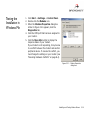
1. Click Start -> Settings -> Control Panel.
2. Double-click the Modems icon.
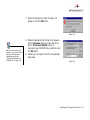
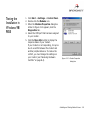
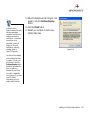
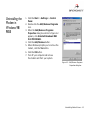
3. When the Modems Properties dialog box
similar to Figure 3-12 appears, click the
Diagnostics tab.
4. Select the COM port that has been assigned
to your modem.
5. Click the More Info button to display the
response status of your modem.
If your modem is not responding, it may be
due to a conflict between the modem and
another peripheral device. To resolve the
conflict, you must change the settings on
your modem (see “Resolving Hardware
Conflicts” on page B-4).
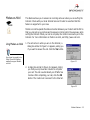
Figure 3-12 : Modem Properties
dialog box.
Installing and Testing Modem Drivers
3-8