1
CHAPTER 3: INSTALLATION
Networked Installation
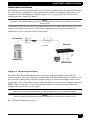
The following instructions will enable you to install your Black Box ServSwitch Extender
in a networked configuration. In this installation, multiple transmitters and receivers are
attached via the same Ethernet network. In this case, it is important for each unit to be
configured with a unique IP address.
NOTE:
In Desktop and Extender Modes the receiver and transmitter can obtain their IP address data from a
DHCP server.
Transmitters and receivers may be configured for use on a single subnet or for use across
routers. Use of routers, however, will cause a slight increase in end-to-end latencies,
which may not be acceptable for all applications.
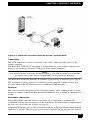
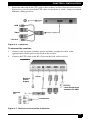
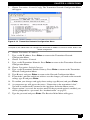
Transmitter
Receiver
Remote PC
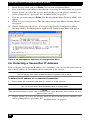
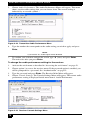
Figure 3-4. Networked Installation
The Black Box ServSwitch Extender has been pre-configured with factory-default
network settings. If you install only one Black Box ServSwitch Extender on a subnet, you
do not need to change these default network settings. If you install multiple units on the
same subnet, you will need to assign a unique IP address to each unit or configure them for
DHCP. This can be done via the serial port and must be carried out before displaying
multiple devices on the same network.
NOTE:
The DHCP server must be configured to assign IP addresses to the unit that do not expire.
NOTE:
Do not change the mode to DHCP unless the equipment is connected to a DHCP server.
See “The Serial Menu” on page 41
27