1
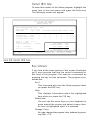
IDE HDD Auto Detection
When you install an IDE hard drive, you should use this
feature to automatically detect the drive parameters and
enter them in the appropriate Hard Disk section of Standard CMOS Setup. To use this feature, highlight it in the
main menu and press the Enter key.
HDD Low Level Format
This is a low level format utility for IDE hard disk drives.
Do not use it on any other kind of hard disk. Most IDE
hard disk drive manufacturers use proprietary low level
formatting schemes and format the drive at the factory.
You should not need to use this program when you install an IDE drive and you should make sure that you can
use this generic formatter on your drive in the unlikely
event that it needs to be low level formatted again.
Low level formatting is not the same as the formatting
you perform when installing an operating system.
In the event that you need to use this utility, the drive
you use it on must be set to Normal mode in Standard
CMOS Setup.
Save And Exit Setup
When you select this and press Enter the values entered
during the current session are recorded in CMOS memory.
Exit Without Saving
W hen you select this and press Enter the Setup Utility
closes without recording any changes made during the
current session.
U p d at i n g T h e B I O S
The PR5’ s BIOS chip is programmable and can be updated when new BIOS versions are released.
IDE Driver Disk
The PR5 comes with a floppy disk of IDE Bus master
drivers for the PIIX IDE controller. There are drivers for
Windows95, Windows NT and OS/2. There are Readme
text files for each version which explain how to use the
drivers. They are on the floppy disk in the relevant directories for each operating system.