1
Nitro Pro 9 - User Guide
Obtaining help
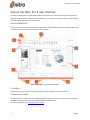
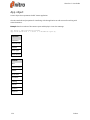
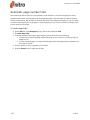
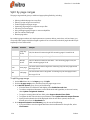
Nitro Pro 9 features a Help tab giving you access to different tools to access product documentation and
other online resources; such as the Knowledgebase and the User Forum.
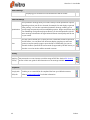
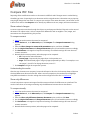
The Help tab panels
Help
l
l
User Guide: Launches the product manual, which you are reading now. You can also launch the
document by pressing F1
Product Tour: The Nitro Pro 9 Product Tour provides you with a quick way to learn how to perform
the most commonly used tasks
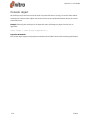
Online Support
l
l
l
l
Knowledge Base: Launches your default web browser, which automatically loads the online
Knowledge Base to help you find solutions to known issues, and to explain other concepts in
greater detail
Ask a Question: gain access to the online user community of Nitro Pro 9. Here, you can participate
in discussions regarding PDF technologies and other subjects related to the PDF world
Share an Idea: Do you have any suggestions which can improve Nitro Pro 9? We value your
suggestions, and hope to integrate any ideas that can help improve the product
Report a Problem: Allows you to report any bugs or issues you experience
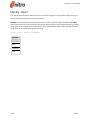
Product
l
l
l
Support Tools: A series of tools to troubleshoot Nitro Pro 9 and to reinstall individual components
like Nitro PDF Creator
Check For Updates: Check if any updates are available, or make sure that you are using the most
recent version of Nitro Pro 9
About Nitro Pro: View details such as the software version, Nitro's web addresses, and licensing
information
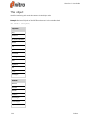
Expired Trial (appears only if Nitro Pro 9 is not activated)
l
Buy Online Now: Purchase a license for Nitro Pro 9 from the Nitro online store (internet
connection required)
Licensing (appears only if Nitro Pro 9 is activated)
l
Volume Licensing: Learn more about how to obtain the best license package to use Nitro Pro 9
throughout your enterprise
Unexpected Termination
Crash Report
Should Nitro Pro 9 terminate after encountering a problem, the Crash Reporter will send a detailed report
that will enable Nitro's engineers to diagnose the problem. The following information can be sent
following a crash:
245
©Nitro