1
2.9
Removing components
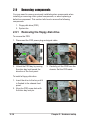
You may need to remove previously installed system components when
installing or removing other system components, or when replacing a
defective component. This section tells how to remove the following
components:
1. Floppy disk drive (FDD)
2. System fan
2.9.1 Removing the floppy disk drive
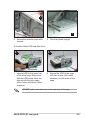
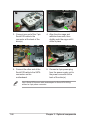
To remove the FDD:
1. Disconnect the FDD power plug and signal cable.
3
2
2. Unlock the FDD bay by moving
the drive bay lock toward the
direction of the front panel.
3. Carefully pull the FDD from the
chassis. Set the FDD aside.
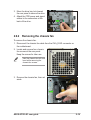
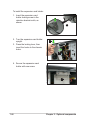
To install a floppy disk drive:
1. Insert the drive to the bay until it
is flushed to the chassis front
panel.
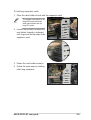
2. Align the FDD screw hole with
the drive bay lock pin.
2-18
1
Chapter 2: Hardware setup