1
2.1
Preparation
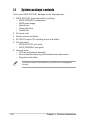
Basic components to install
You need to install the following components to the AP120-E1
server/workstation.
1.
2.
3.
4.
5.
Central processing unit (CPU)
Dual Inline Memory Module(s) (DIMMs)
Hard disk drive
5.25-inch drive(s)
Expansion card(s)
Tool
You need a Philips (cross) screw driver to install some system components.
2.2
Removing the side cover
To remove the side cover:
1
1
2
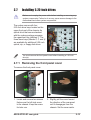
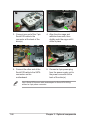
1. Locate the two side cover
locks.
2-2
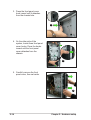
2. Press the side cover locks
outward, then pull the side
cover toward the rear panel for
about one-half inch.
Chapter 2: Hardware setup