1
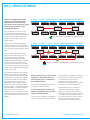
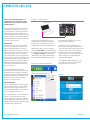
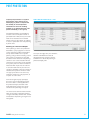
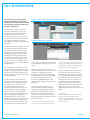
desired ports and click the “remove from
folder” button at the bottom of the folder’s
content list, as shown in Figure 3.
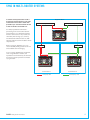
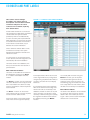
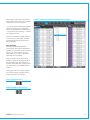
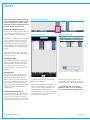
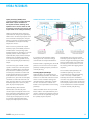
FIGURE 5 - MANAGE FOLDERS, SHOWING BOX CONTENT
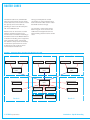
“+” symbols within the folder tree indicate
branches that have been collapsed to
compact the displayed view. Clicking the
“+” expands the view. Clicking. “-” symbols
will collapse branches.
Ports can be added to multiple folders. If
access to a port is restricted, all folders
containing that port will show the port
being restricted.
Port Grouping
Port lists are sorted alphabetically
which will not always place related ports
together. For example it can be convenient
to have a 5.1 set of signals which are
designated L, R, C, LFE, Ls, Rs placed
adjacently and in that order.
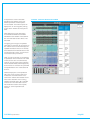
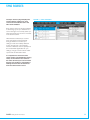
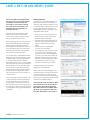
Ports in a folder can be selected and
added to a group by clicking the ‘Add To
Group’ button shown below. Ports can
then be moved within the group using the
up / down arrows at the bottom of the
window.
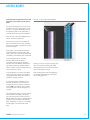
Port groups that are no longer required
can be broken apart using the remove
from group button shown below.
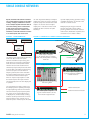
ADD TO GROUP BUTTON
REMOVE FROM GROUP BUTTON
CALREC Putting Sound in the Picture
27