1
Solaris Installation
Installing NetWorker on Solaris
Before installing the NetWorker software, review the following sections:
◆
◆
“Installation roadmap” on page 14
“Software Requirements” on page 25
Complete these tasks to install the NetWorker software:
◆
◆
◆
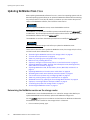
“Reviewing the NetWorker requirements for Solaris” on page 100
“Changing the default directories” on page 102
“Installing NetWorker packages on Solaris” on page 103
Reviewing the NetWorker requirements for Solaris
Before you install NetWorker on Solaris, review the software requirements for Solaris 10
and Solaris zone support:
◆
◆
◆
“Package disk space requirements” on page 100
“Solaris 10 requirements” on page 100
“Solaris zone requirements” on page 101
Package disk space requirements
Download the NetWorker software package from the EMC Online Support Site and extract
the packages to a temporary location on the target host.
Ensure that there is sufficient disk space on the host to contain both the compressed
NetWorker software package and the fully uncompressed files.
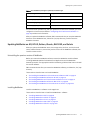
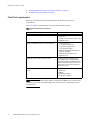
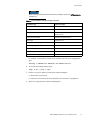
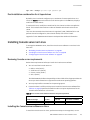
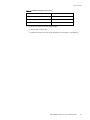
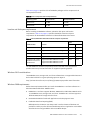
Table 21 on page 100 provides a list of NetWorker packages and the compressed and
uncompressed file sizes.
Table 21 Size of compressed and uncompressed files
Operating system
Compressed file
Uncompressed file
Solaris x86
74 MB
362 MB
Solaris x86-64
406 MB
1.1 GB
Solaris AMD
287 MB
1.2 GB
Solaris 10 requirements
Review these requirements before you install NetWorker on Solaris 10.
◆
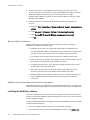
Disable TCP Fusion on each Solaris 10 NetWorker server and storage node.
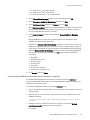
a. Add the following line, to the /etc/system file:
set ip:do_tcp_fusion = 0
b. Restart the host.
◆
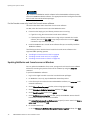
For a storage node in a Solaris 10 whole root zone, ensure that:
• All devices are in a single NetWorker datazone.
• All storage nodes are running Solaris 10 update 5 or later, to provide shared SCSI
command support.
100
EMC NetWorker Release 8.1 SP1 Installation Guide