1
Contents
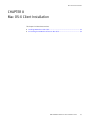
Chapter 8
Mac OS-X Client Installation
Installing NetWorker on Mac-OSX ................................................................
Reviewing the Mac OS-X requirements ..................................................
Installing the NetWorker software..........................................................
Verifying the software installation .........................................................
Uninstalling the NetWorker software on Mac OS-X .......................................
Chapter 9
92
92
92
93
94
Solaris Installation
Installing NetWorker on Solaris ................................................................... 96
Reviewing the NetWorker requirements for Solaris ................................ 96
Changing the default directories ........................................................... 98
Installing NetWorker packages on Solaris.............................................. 99
Installing Console server on Solaris ........................................................... 101
Reviewing the Console server requirements ........................................ 101
Installing the Console server software ................................................. 102
Uninstalling the NetWorker and Console server on Solaris ......................... 104
Chapter 10
Microsoft Windows Installation
Installing NetWorker and Console software on Windows ............................ 108
Reviewing the NetWorker software requirements................................. 108
Installing the NetWorker software........................................................ 110
Adjusting antivirus software settings................................................... 114
Installing the NetWorker and Console server on Windows 2008 Server Core .....
115
Installing additional components .............................................................. 115
Installing the Console server software on an existing NetWorker host.. 115
Installing additional language packs ................................................... 118
Changing the installation type............................................................. 119
Performing a silent install.......................................................................... 120
Uninstalling the NetWorker and Console server on Windows...................... 122
Uninstalling the NetWorker software ................................................... 122
Performing a silent uninstall................................................................ 123
Uninstalling the NetWorker software on Windows 2008 Server Core .... 123
Using SMS to install or uninstall the NetWorker software ........................... 125
Chapter 11
Verify the Installation
Using NetWorker for the first time.............................................................. 128
Connecting to the Console server GUI for the first time ........................ 128
Changing the NetWorker servers with access to the host ..................... 131
Starting the Console client after the first time ...................................... 132
Troubleshooting Console client connection issues..................................... 132
Unable to display to Console server web page..................................... 132
Unable to connect to the Console server.............................................. 133
Error: error while loading shared libraries: libsasl2.so.2: wrong ELF class:
ELFCLASS64 ........................................................................................ 134
Unable to connect to server: Failed to contact using UDP ping ............. 134
Unable to start gstd process on Console server ................................... 135
Cannot log in to the Console server with Firefox................................... 137
Cannot generate console reports after updating the Console server..... 138
EMC NetWorker Release 8.1 SP1 Installation Guide
5