1
Appendix
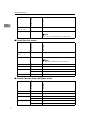
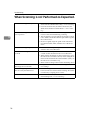
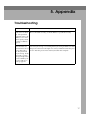
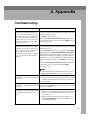
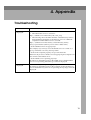
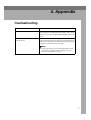
Problem
Possible Causes and Solutions
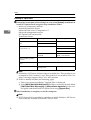
When selecting a server, the following message appears: " The specified
computer name or IP address is not
valid. Please specify another name or
address. "
• Make sure that the server setting is correct and the IP
address and name are correct in network settings.
There is no response when [Browse] is
clicked in [Set I/O Device].
• Make sure that network devices are plugged in and
switched on.
• You may be logged onto Windows under an account
that does not have administrator access. Log in under an account that has the access right.
• Make sure that connection can be made by selecting
a device by host name and/or IP address.
• Some I/O devices do not require any configuration.
If the devices are of this type, clicking [Browse] may
not display anything. If this is the case, make sure
that the device has the correct IP address for the delivery server.
4
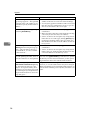
After entering an IP address in [Set I/ • Make sure that the device is plugged in and
O Device], the following message apswitched on.
pears: " The selected I/O device is
• Some I/O devices do not require any configuration.
not switched on, or is not available
If this is the case, make sure that the device has the
on this network. "
correct IP address for the delivery server.
28
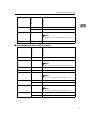
When adding or deleting a destination and updating the index, those on
the network device are not updated.
Some I/O devices do not automatically update destination lists. Press [Update Address] on the device to update
the delivery list. For more information, see the operating instructions that come with the network device.
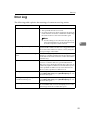
When entering the password on the
[Authorization for Server Access] dialog
box, the following message is displayed " Your password may be invalid.If you are sure about password
you entered, press [Cancel] and close
the [Set Authorization for Server Access] dialog box. "
The password for the starting Windows account may be
incorrect, or account authorization may have changed.
Make sure that the password and the authorizations are
correct and re-enter the password, then, restart the computer.