1
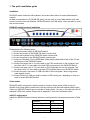
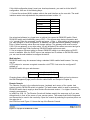
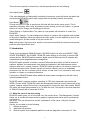
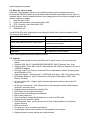
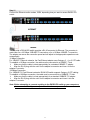
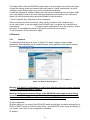
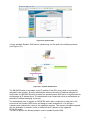
Step 11 Connect the Ethernet and/or modem, ISDN, depending how you want to access DKVM -IP8 switch. INTERNET Modem The rear side of DKVM-IP8 switch provides a RJ -45 connector for Ethernet. The connector is used either for a 100 Mbps 100B ASE-TX connection or for a 10 Mbps 10BASE -T connection. The adapter can sense the connection speed and will adjust to the appropriate operation mode automatically. 10 Mbps Connection For 10BASE-T Ethernet networks, the Fast Ethernet adapter uses Category 3 , 4, or 5 UTP cable. To establish a 10 Mbps connection, the cable must be connected to a 10BASE -T hub. Make sure that the cable is wired appropriately for a standard 10BASE -T adapter. Align the RJ-45 plug with the notch on the adapter’s connector and inser t it into the adapter’s connector. 100 Mbps Connection For 100BASE-TX Fast Ethernet networks, DKVM -IP8 switch supports Category 5 UTP cabling. To establish a 100 Mbps connection, the cable must be connected to a 100BASE -TX hub. Make sure that the cable is wired appropriately for a standard 100BASE -TX adapter. Align the RJ-45 plug with the notch on the adapter’s connector and insert it into the adapter’s connector. Note: Before attempting to connect anything to the DKVM -IP8 switch or your computers, please ensure that all your computers and devices are power off. 11