1
6.5.6
Date And Time
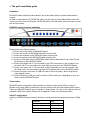
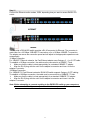
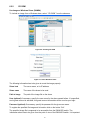
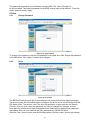
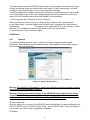
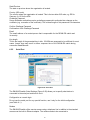
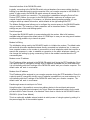
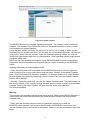
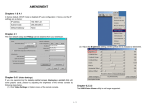
Figure 6-27. Date and Time
This link refers to a page, where the internal real-time clock of the DKVM-IP8 switch can be
set up (see Figure 6-27). You have the possibility to adjust the clock manually, or to use a
NTP timeserver. Without a timeserver, your time setting will not be persistent, so you have to
adjust it again, after DKVM-IP8 switch loses power for more than a few minutes. To avoid this,
you can use a NTP timeserver, which sets up the internal clock automatically to the current
UTC time. Because NTP server time is always UTC, there is a setting that allows you to set
up a static offset to get your local time.
Warning
There is currently no way to adjust the daylight saving time automatically. So you have to set
up the UTC offset twice a year p roperly to the local rules of your country.
6.5.7
Event Log
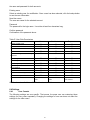
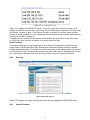
Figure 6-29. Event Log
Important events like a login failure or a firmware update are logged to a selection of logging
58