1
4
TouchWare for Windows NT User's Guide
Installing TouchWare for Windows NT ......................................23
Upgrading Version 1.01 .......................................................23
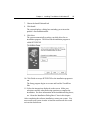
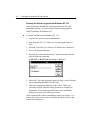
Running the Setup Program from Windows NT 4.0 ..............24
Running the Setup Program from Windows NT 3.51 ............26
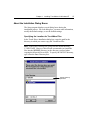
About the Installation Dialog Boxes ...........................................27
Specifying the Location for TouchWare Files .......................27
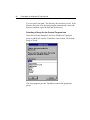
Selecting a Group for the Control Program Icon...................28
Defining the Communication Settings ...................................29
Checking the ReadMe File....................................................31
Completing the Software Installation ....................................31
Loading the Touchscreen Driver...........................................31
Touchscreen Calibration.............................................................32
Calibrating the Touchscreen .................................................32
Testing the Calibration .........................................................34
CHAPTER 2
Customizing Your Touchscreen Environment
Opening the Touchscreen Control Program ................................36
Administrator and User Privileges ..............................................36
Selecting Options in the Touchscreen Control Program ..............36
Hardware Controls.....................................................................37
Setting the Communication Port ...........................................38
Setting the Interrupt Request and Base Address....................39
Setting the Baud Rate...........................................................40
Saving and Activating Your Hardware Control Changes.......40
Reinitializing the Touchscreen Controller..............................40
Accessing Only the Hardware Controls.................................41
User Controls.............................................................................42
Setting the Click Time ..........................................................42
Setting the Double-Click Speed ............................................44
Setting the Liftoff Time ........................................................45
Setting the Stabilization Value..............................................45
Turning Sound On or Off .....................................................46
Setting the Button Simulation...............................................46
Button Modes ............................................................................48
Touch Terminology..............................................................48
Understanding Button Modes ...............................................49
Understanding Predefined Button Modes..............................50