1
Configuration Views
Configure Alarms View
Configure Alarms View
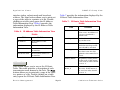
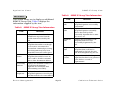
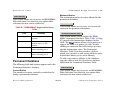
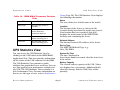
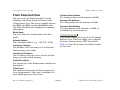
You can access this view by clicking on the Config
Alarms button in the Configuration View. This
view allows you to set threshold alarms and
enable them. The Configure Alarms View is not
available for the IRM hub. This view contains the
fields described below.
Model Name
The user-defined or default name of the model.
Device Name
The ASCII name of the device read from the device
firmware.
Network Address
The network IP address (e.g., 132.127.118.24).
Collision Threshold
The threshold value within the alarm timebase
which, once that number of collisions per good
packet is exceeded, generates a collision alarm.
Possible values range from 1 to 15.
Error Alarms
This button allows you to Enable or Disable
detection of Error Alarms. This button is not
available in the MRXI Configure Alarms View.
Error Threshold
The threshold value within the alarm timebase
which, once the percentage of errors per good
packet is exceeded, generates an error alarm.
This field is not available in the MRXI Configure
Alarms View.
Traffic Alarms
This button allows you to Enable or Disable
detection of Traffic Alarms.
Traffic Threshold
The threshold value within the alarm timebase
which, once that number of packets is exceeded,
generates a traffic alarm.
Collision Alarms
This button allows you to Enable or Disable
detection of device-level Collision Alarms.
Device Management
Broadcast Alarms
This button allows you to Enable or Disable
detection of Broadcast Alarms. This button is
available only in the IRM2 and IRM3 Configure
Alarms Views.
Broadcast Threshold
The threshold value within the alarm timebase
which, once that number of broadcasts received
is exceeded, generates a broadcast alarm. This
field is available only in the IRM2 and IRM3
Configure Alarms Views.
Page 47
Cabletron Ethernet Hubs