1
Red Hat Storage 2.0 Quick Start Guide
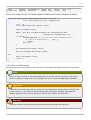
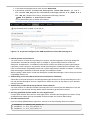
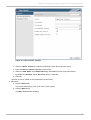
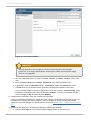
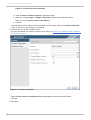
Figure 3.3. New Host window
Important
Red Hat Enterprise Linux hypervisor and Red Hat Enterprise Virtualization
hypervisor on a single VDSM cluster accessing the same virtual machine image
store is not supported.
c. Use the drop-down menus to select the Data Center and Host Cluster for the new
host.
d. Enter the Nam e, Address, and Root Password of the new hypervisor host.
e. If applicable, clear the Autom atically configure host firewall check box.
f. Click OK when you've entered all the necessary configuration details of your host.
T he new host displays in the list of hypervisor hosts with a status of Installing. Once
installation is complete, the status will update to Reboot. T he host is activated and the
status changes to Up automatically after Reboot.
4. Create and tune volumes using the command line interface.
Use the command line interface to create and tune volumes on the Red Hat Storage cluster. For
information on creating and tuning volumes, refer to Chapter 8. Setting up Red Hat Storage
Volumes of Red Hat Storage 2.0 Administration Guide and Section 3.1.1, “T uning Volumes Using
CLI”.
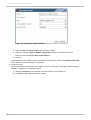
5. Using Red Hat Enterprise Virtualization Manager, add Storage Domain.
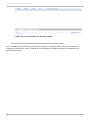
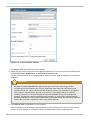
a. Click the Storage tab to list the existing storage domains in the results list.
18