1
Getting Started
EPXA1 Development Kit Getting Started User Guide
After successfully debugging the design using the debug settings version
of the software, you can run the release settings version.
GNUPro Insight Debugger
The GNUPro Toolkit from Red Hat incorporates the Insight graphical
debugger. The debugger interfaces with the GNU debugger stub
provided by Altera in the Quartus II software, version 2.2 or later. The
Altera-supplied stub runs on a host PC and debugs the code running on
the Excalibur device using the JTAG debug module.
f
Refer to the GNUPro Insight debugger manual for more information on
the debug commands.
The following steps explain how to set up the GNUPro Insight debugger
and run the application software:
1.
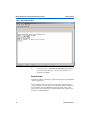
In a Command Prompt window, start up the GNU debugger stub by
typing:
<Quartus Installation Directory>\bin\gdbstub↵
2.
Execute <GNUPro Tools installation directory>\bin\arm-elf-gdb.exe
to start Insight.
3.
Click on Open (File menu) in the Insight debugger and browse to
gnu\debug\hello.elf.
4.
Choose Connect To Target (Run menu) in the Insight Debugger
window and specify the following in the dialog box:
–
–
–
Altera Corporation
Target: Remote/TCP
Port: 9999
Ensure that Download Program under More Options is not
selected.
5.
Set a breakpoint by right-clicking on the line number and selecting
Set Breakpoint.
6.
Click on Run (Run menu) in the Insight debugger to run the
application software.
7.
Click on Registers (View menu) to display the processor registers.
8.
Right-click on an instruction’s line number and choose Set
Breakpoint to set a breakpoint.
31