1
Table of contents
User Instructions
IDM corded
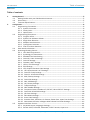
3 4
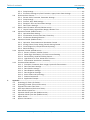
2.5.3 Delay Settings .................................................................................................................... 46 2.5.4 Emulation Settings, Key Pad Emulation, Upper/Lower Case Settings ........................... 47 2.6 Serial Interface Control................................................................................................................... 48 2.6.1 Record Suffix, Preamble, Postamble Settings ................................................................. 48 2.6.2 Delay Settings .................................................................................................................... 49 2.6.3 Protocol, ACK/ NAK Settings............................................................................................. 50 2.6.4 Response Time-out, Baud Rate Settings.......................................................................... 51 2.6.5 Data Frame Settings .......................................................................................................... 52 2.7 Wand/ Laser Emulation Control (IDM1xx series).......................................................................... 53 2.7.1 Output Polarity, Signal State, Margin/ Module Time ....................................................... 53 2.8 Operation Control (IDM1xx series)................................................................................................. 54 2.8.1 Operation Mode Setting..................................................................................................... 54 2.8.2 Presentation Control, Scan Rate, Flash Duty ................................................................... 56 2.8.3 1D Barcode Reading Direction.......................................................................................... 57 2.9 Operation Control (IDM2xx series)................................................................................................. 58 2.9.1 Operation, Presentation and Illumination Control ........................................................... 58 2.9.2 Aiming Control, Delay Aiming, Decode Aiming Control .................................................... 59 2.9.3 Center Alignment, Unique Barcode Reporting ................................................................. 60 2.9.4 Batch Reading.................................................................................................................... 61 2.10 Operation Control (all IDM series).................................................................................................. 64 2.10.1 Buzzer, Indicator, Vibrator Control.................................................................................. 64 2.10.2 Dollar Sign, Redundancy, 1D Code Inverse Reading .................................................... 65 2.10.3 Reread Delay, Good Read Delay Control........................................................................ 66 2.10.4 Light Source On Time, Hands Free Time-out ................................................................. 67 2.10.5 Presentation Auto-Sense , Sensitivity............................................................................. 68 2.11 Condensed Data Wizard ................................................................................................................. 69 2.11.1 Preamble, Postamble, Data Length, Symbol ID Transmission ..................................... 69 2.11.2 Data Formatter Settings.................................................................................................. 70 2.11.3 Data Verifier Settings ...................................................................................................... 71 2.11.4 Data Replacer Settings ................................................................................................... 72 2.11.5 Data Organizer Settings .................................................................................................. 73 2.11.6 Select a Barcode Symbology........................................................................................... 74 2.11.7 Position Calculation......................................................................................................... 75 2.11.8 Application Example ........................................................................................................ 75 Appendix ............................................................................................................................................................. 77 3.1 Symbology ID Table (1D Codes) ..................................................................................................... 77 3.2 Symbology ID table (2D and Post codes) ...................................................................................... 78 3.3 Keyboard Function Code Table ...................................................................................................... 78 3.4 ASCII Input Shortcut (Reference Table) ......................................................................................... 79 3.5 Host Interface Quick Set................................................................................................................. 80 3.6 Operation Mode Quick Set (IDM1xx series) .................................................................................. 81 3.7 Operation Mode Quick Set (IDM2xx series) .................................................................................. 82 3.8 Option Codes................................................................................................................................... 83 3.9 System Commands ......................................................................................................................... 84 © SICK AG · Germany · All rights reserved · Subject to change without notice
8015906/2013-07-02