1
Access 2002 and Jet 4 Errors
APPENDIX E
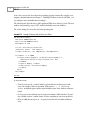
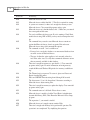
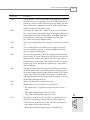
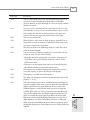
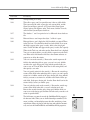
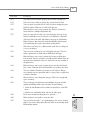
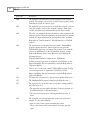
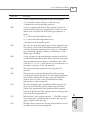
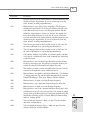
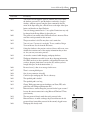
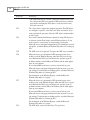
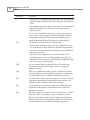
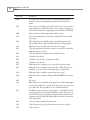
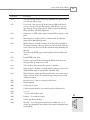
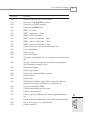
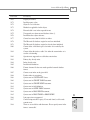
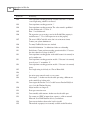
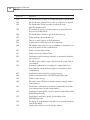
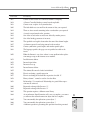
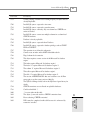
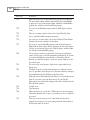
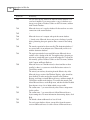
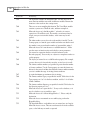
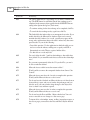
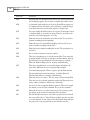
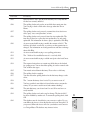
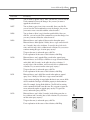
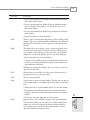
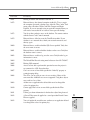
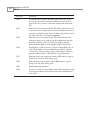
ErrorCode
ErrorString
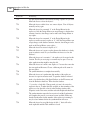
10965
It is strongly recommended that you change the system administrator
(SA) password when this operation is complete. To change the SA
password point to Security on the Tools menu, and then click Set
Login Password.
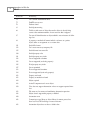
There isn’t enough memory to create an input area. Close unneeded
programs. Then try to create the input area again. For more information on freeing memory, search the Microsoft Windows Help index for
‘memory, troubleshooting’.
Microsoft Access failed to save module ‘|.’ Your computer may be low
on disk space. For information on freeing memory or disk space,
search the Microsoft Windows Help index for ‘memory, troubleshooting’ or ‘disk space, freeing’.
Microsoft Access failed to create the Visual Basic module ‘|.’ If your
database is on a network drive, check your network connection, and
then try again.
Microsoft Access failed to convert or enable your code modules. Your
computer may be low on disk space or memory.
The new procedure name you provided is invalid.
The procedure ‘|’ already exists. Choose another procedure name.
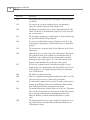
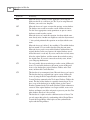
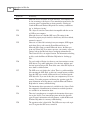
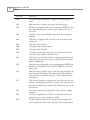
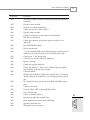
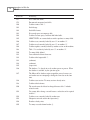
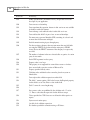
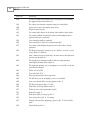
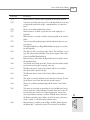
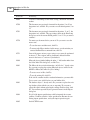
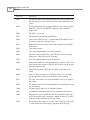
29000
29001
29002
29003
29004
29005
29006
29007
29008
29009
29010
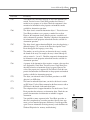
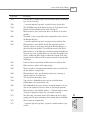
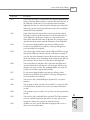
E
ACCESS 2002
AND JET 4
ERRORS
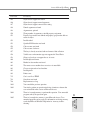
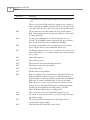
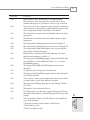
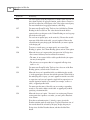
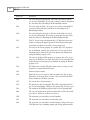
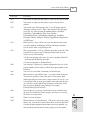
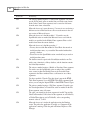
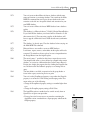
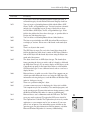
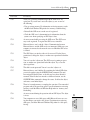
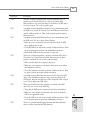
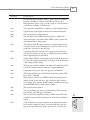
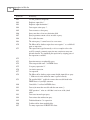
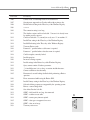
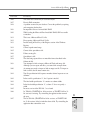
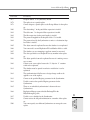
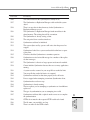
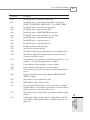
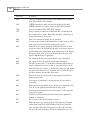
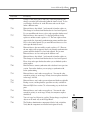
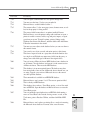
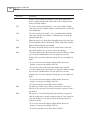
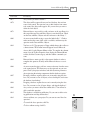
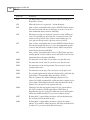
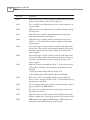
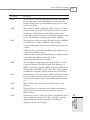
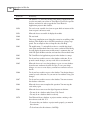
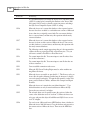
29011
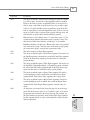
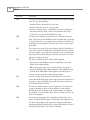
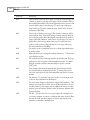
Microsoft Access failed to create a Debug window toolbar. The system
may be out of resource memory. Close unneeded programs and try
again. For more information on freeing memory, search the Microsoft
Windows Help index for ‘memory, troubleshooting’.
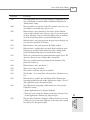
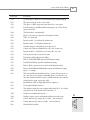
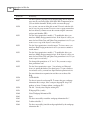
During the paste or import operation, Microsoft Access failed to convert the ‘|’ module from an earlier version of a Microsoft Access database. Your computer may be low on disk space or memory.
Microsoft Access couldn’t create storage space for a Visual Basic module. If your database is on a network drive, check your network connection, and then try again.
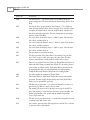
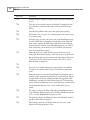
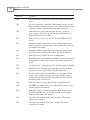
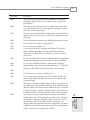
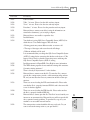
Microsoft Access couldn’t open the storage space for a Visual Basic
module. Your computer may be low on disk space. For information on
freeing memory or disk space, search the Microsoft Windows Help
index for ‘memory, troubleshooting’ or ‘disk space, freeing’.
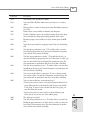
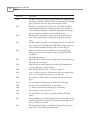
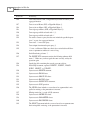
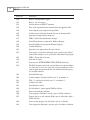
The function name is too long. Microsoft Access will truncate the
function name to 255 characters.
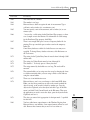
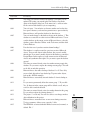
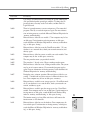
Microsoft Access failed to save the database. Your computer may be
low on disk space. For information on freeing memory or disk space,
search the Microsoft Windows Help index for ‘memory, troubleshooting’ or ‘disk space, freeing’.
143