1
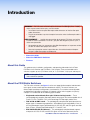
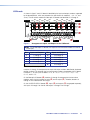
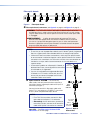
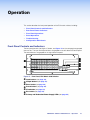
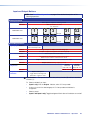
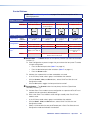
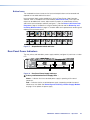
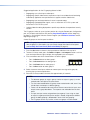
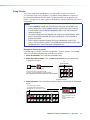
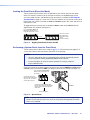
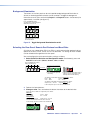
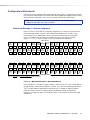
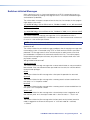
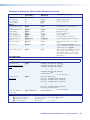
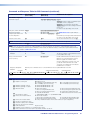
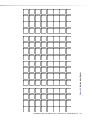
Input and Output Buttons
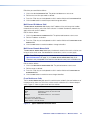
NOTE:See Front Panel Operations on page 25 for detailed descriptions of the
following operations.
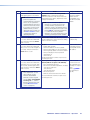
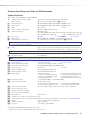
Primary functions
Select input or output for tie being created.
Action
Blink: potential tie or untie.
Lit: current tie
Indication
FOX Matrix 3200
FOX Matrix 7200
1
2
3
1
2
3
through
through
31
32
71
72
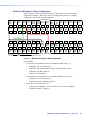
Secondary functions
I/O grouping
Input 1 and Output 1:
Select I/O Group mode.
Action 1
Assign an input or output to the selected group.
Action 2
Lit: Input or output is assigned to the selected group.
Indication
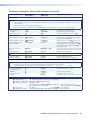
Presets
Select a preset in Preset mode.
Action
Lit: A preset has already been saved to this location.
Blink: Preset location is selected to be saved.
Indication
Output mutes
Output buttons: Press and hold to mute or unmute the output.
Action
Output buttons blinking: Output is muted.
Indication
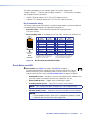
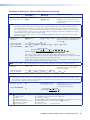
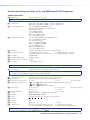
Port
configuration
Background
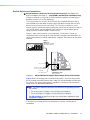
illumination
Action
Output
Output
31 or 71:
32 or 72:
Select RS-232. Select RS-422.
Indication
Blink: selected Blink: selected
Action
Input 1 and Input 2:
Toggle between background
illumination or buttons unlit.
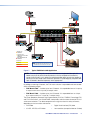
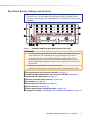
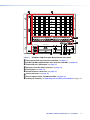
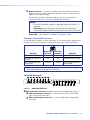
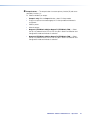
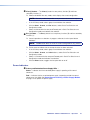
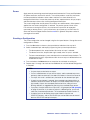
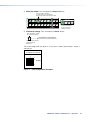
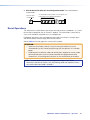
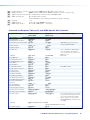
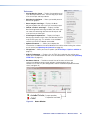
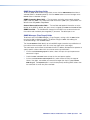
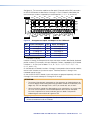
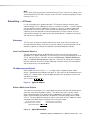
A Input buttons — The input buttons have one primary function (❏) and four secondary
functions (•):
❏ Select and identify an input.
•
(Input 1 only) With the Output 1 button, select I/O Group mode.
•
Assign an input to the selected group in I/O Group mode and indicate its
assignment.
•
Select a preset.
•
(Input 1 and Input 2 only) Toggle background illumination of the buttons on and off.
FOX Matrix 3200 and 7200 Switchers • Operation
20