1
Using the STING Mini Media Center
Using the STING Mini Media Center
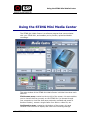
The STING Mini Media Center is a software program that communicates
with your STING Mini, and enables you to preview, upload and delete
recordings.
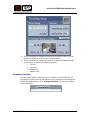
The main window of the STING Mini Media Center is divided into three main
sections:
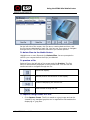
File Browser area: Located on the top left of the screen, this area enables
you to view all the files currently on the STING Mini (or browse through
your computer to view files that were previously recorded and saved to
another location), extract a single frame from within a video file, etc.
Configuration area: Located on the bottom of the screen, this area
contains three sections to display and control the following settings:
Mini-STING User Guide
12