1
Introduction
STING Mini Views
Top View
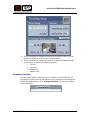
On the top of the STING Mini, there are
three buttons that enable you to quickly
and easily use the device. These buttons
include:
•
Status
•
Record
•
Erase
Side View
When viewing the top of the device, the side panel on the right side
contains the ON-OFF switch. When you switch the device on, the two LEDs
on the left side of the top panel flash in an alternating pattern as the device
starts up. When it is ready to record, the flashing lights stop and a single,
solid green LED appears in the middle button (Record).
Once you press the Record button (either on the device or on the remote
control cable), the Record LED will flash Red until the recording process is
stopped.
Front View
The front panel contains a slot for the SD
card.
Rear Panel
The rear panel contains the connection ports. These include:
•
DC In Port
•
AV In/Remote
•
USB port
Mini-STING User Guide
3