1
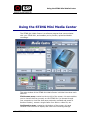
Using the STING Mini Media Center
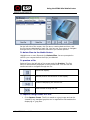
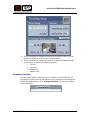
To copy files:
•
Click Copy Files and then specify the location to which the selected
file or files should be copied.
Configuration Options in the Media Center
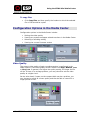
Configuration options in the Media Center include:
•
Setting the video quality
•
Viewing any system messages related to actions in the Media Center
•
Selecting a recording setting
•
Viewing the current firmware version
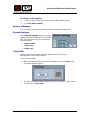
Video Quality
The current video quality of each recording session is configured in the
Media Center in the Video Quality section. Select from High, Medium, Low
or Very Low. In general, the higher the quality setting, the larger the file
will be. If there is no storage problem, you may choose to set the video
quality at a higher level.
On the other hand, if space on the compact disk may be a problem, you
may choose to record at a lower quality and thus be able to record for a
longer period of time.
Mini-STING User Guide
15