1
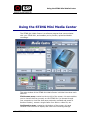
Using the STING Mini Media Center
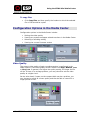
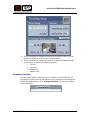
To set the video quality:
1.
Select an option from the list of possible video quality levels.
2.
Click Set Video Quality.
System Messages
This is a read-only field that displays system messages as required.
Record Settings
In the Record Settings section, you can
enable the Record Settings for the STING
Mini. You can select one of the following
record settings:
•
Audio/Video
•
Video only
•
Audio only
Time/Date
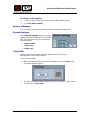
Initially, you should set the time and date of the device. This is
accomplished via the Media Center.
To set the time/date:
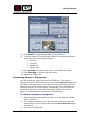
1. Open the Media Center and in the Time/Date area, click Setup. The
Time/Date window opens.
2. The time and date setting is taken from your computer. Verify that it is
correct and click Set Time.
Mini-STING User Guide
16