1
Introduction...............................................................................................................................................................1
About this User Guide................................................................................................................................................................. 1
About Your Product..................................................................................................................................................................... 1
Unpacking and Setup Instructions.............................................................................................................................................. 1
Important Information..............................................................................................................................................3
Support Information.................................................................................................................................................................... 3
Learn More Online...................................................................................................................................................................... 3
Technical Support....................................................................................................................................................................... 3
Optical Disc Recording Software Disclaimer.............................................................................................................................. 4
Safety and Compliance Information............................................................................................................................................ 4
Safety Precautions.......................................................................................................................................................................................... 4
Compliance Information.................................................................................................................................................................................. 5
Rimage Prism Printer Specifications.......................................................................................................................................... 6
Printer Requirements...............................................................................................................................................9
Ribbon Requirements................................................................................................................................................................. 9
Label Design Requirements....................................................................................................................................................... 9
Print Requirements..................................................................................................................................................................... 9
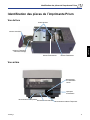
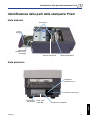
Identify the Parts of the Prism Printer.................................................................................................................. 11
Front View................................................................................................................................................................................. 11
Back View................................................................................................................................................................................. 11
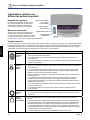
Parts Information...................................................................................................................................................................... 12
Operator Panel.............................................................................................................................................................................................. 12
Operator Button............................................................................................................................................................................................. 12
Indicator Lights.............................................................................................................................................................................................. 12
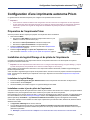
Set Up a Standalone Prism Printer.......................................................................................................................13
Prepare the Prism Printer......................................................................................................................................................... 13
Install the Rimage Software and Printer Driver......................................................................................................................... 13
Install the Rimage Software.......................................................................................................................................................................... 13
Install or Update the Printer Driver................................................................................................................................................................ 13
Operate the Prism Printer......................................................................................................................................17
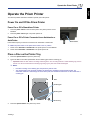
Power On and Off the Prism Printer......................................................................................................................................... 17
Power On or Off a Standalone Printer........................................................................................................................................................... 17
Power On or Off a Printer Connected to an Autoloader or AutoPrinter......................................................................................................... 17
Place a Disc on the Printer Tray............................................................................................................................................... 17
Set your Printing Preferences................................................................................................................................................... 18
Access Print Properties................................................................................................................................................................................. 18
Set Ribbon Type, Media Type, and Print Strobe........................................................................................................................................... 18
Set Color Options.......................................................................................................................................................................................... 18
Print in Monocolor..................................................................................................................................................................................... 18
Print in Color.............................................................................................................................................................................................. 19
Set the Print Quality...................................................................................................................................................................................... 19
Maintain the Prism Printer.....................................................................................................................................21
Overview................................................................................................................................................................................... 21
Cautionary Information............................................................................................................................................................. 21
Preventative Maintenance Schedule........................................................................................................................................ 21
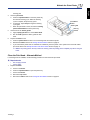
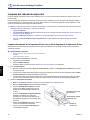
Clean the Print Head................................................................................................................................................................ 22
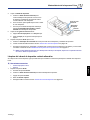
Clean the Prism Print Head Using a Prism Cleaning Kit............................................................................................................................... 22
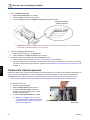
Clean the Print Head – Alternate Method...................................................................................................................................................... 23
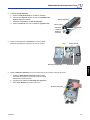
Change the Print Ribbon.......................................................................................................................................................... 24
110635_K
English
Contents