
1
MONITORING
Master Facilities
External Inputs
Up to 32 devices may be configured for External sources in any
surround format up to 7.1. The monitor matrix is intelligent and
automatically selects the appropriate monitor format to match
the source’s format.
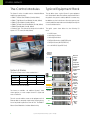
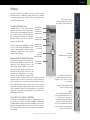
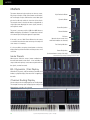
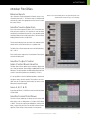
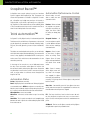
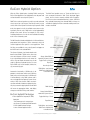
Monitor Section and the Main panel to the right. Main panel shows
the Main Menu with all the major section headings
Monitor Source Selection
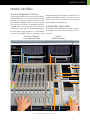
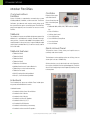
Each of the monitor outputs (CR, Mon A, B, C, D) have their own
level and source select key. It is important to note that these
are digitally controlled analog controls as they provide a quiet
and highly stable monitor output stage which is essential when
feeding powerful monitors at high levels.
The 8-character display shows the name of the selected source
and the switch on the level knob acts as a speaker mute.
The Main Control Room feed can be sent to the Main Monitors,
Alt 1, or Alt 2.
Each of the 5 monitor outputs has a Source button. Pressing this
activates the Main panel.
Monitor Output Control
Main Control Room Monitor
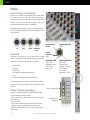
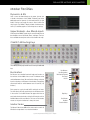
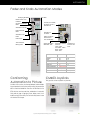
The Main Control Room speaker section includes a digital readout of level, 8-character source display and dedicated Dim and
Mute keys. The active speakers are indicated just above the level
control to show which speakers are switched on (L C R etc.).
It is also possible to switch off individual speakers, set dim level
and phase reverse the Left speaker. These options are accessible from the CR Output key which brings up menus on the
Main panel (see previous page).
Mon A, B, C & D
By pushing the Mon A, B, C & D level control switch these feeds
can be muted.
Monitor Format Fold Down
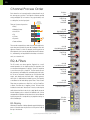
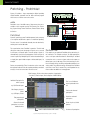
The Control Room Output key also brings up main monitor fold
down options such as folding down a 5.1 feed to LCRS, Stereo
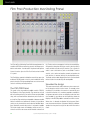
or Mono. The way the outputs get folded down, and any level
drops, can be set by the user from the eMix software (shown
opposite). These settings can be stored as 24 user presets.
System 5 Digital Audio Mixing System - InDepth
21













![System 5 v5.3 Release Notes - akmedia.[bleep]digidesign.](http://vs1.manualzilla.com/store/data/007435483_1-869dfe736550f807afef326210c3426b-150x150.png)
