1
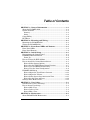
Table of Contents
• • • • • • • • • • • • • • • • • • • • • • • • • • • • • • • •
SECTION 1 – General Information.............................................. 1–1
About the FA700KP-ADS................................................................ 1–1
System Features .............................................................................. 1–1
Security......................................................................................... 1–1
Setup ............................................................................................. 1–1
Compatibility ................................................................................... 1–2
ECP Error......................................................................................... 1–2
SECTION 2 – Mounting and Wiring ............................................ 2–1
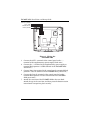
Mounting the FA700KP-ADS ......................................................... 2–1
Wiring the FA700KP-ADS .............................................................. 2–2
SECTION 3 – Front Panel LEDs and Buttons ........................... 3–1
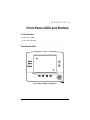
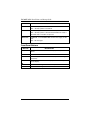
Front Panel LEDs............................................................................ 3–1
Front Panel Buttons ........................................................................ 3–2
SECTION 4 – Initial Setup ............................................................. 4–1
Programming the Control Panel..................................................... 4–1
FA700KP-ADS Initialization .......................................................... 4–2
Power Up ...................................................................................... 4–2
How to Change the ECP Address ................................................... 4–2
How to Access the Central Station Screen..................................... 4–3
How to Select System Options .................................................... 4–6
How to Set the NIGHT Setup Button Function......................... 4–7
How to View and Edit Screen Security....................................... 4–8
How to View the Panel Configuration ........................................ 4–9
FA700KP-ADS Setup .................................................................... 4–10
How to Adjust the TouchCenter Contrast ................................ 4–11
How to Adjust the Volume......................................................... 4–12
How to Select Screen Saver Activation Time ........................... 4–13
How to Set the Time and Date .................................................. 4–14
Setting Chime Mode On/Off.......................................................... 4–15
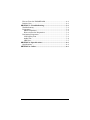
SECTION 5 – User Codes................................................................ 5–1
Introduction to User Code Setup .................................................... 5–1
How to Access User Setup............................................................... 5–1
How to Add a User ....................................................................... 5–3
How to Delete a User ................................................................... 5–5
How to Edit a User....................................................................... 5–6
SECTION 6 – Maintenance ............................................................ 6–1
About FA700KP-ADS Maintenance ............................................... 6–1
iii