1
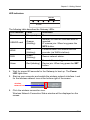
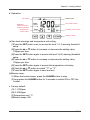
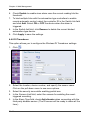
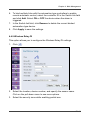
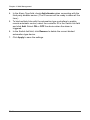
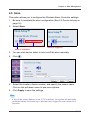
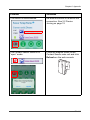
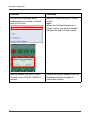
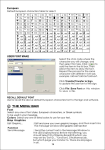
Chapter 2: Getting Started b. Operation: Fan state Backlight: Green (normal) / Orange (warning) Temperature current value Buzzer state CO2 current value Humidity current value Setting buttons (a)Two level warnings and temperature unit setting: (1)Press the SET button once to access the level 1 (L1) warning threshold setup. (2)Press the or button to increase or decrease the setting value, 100ppm per time. (3)Press the SET button again to access the level 2 (L2) warning threshold setup. (4)Press the or button to increase or decrease the setting value, 100ppm per time. (5)Press the SET button again to access the temperature unit setup. (6)Press the or button to switch “°C” or “°F”. (7)Press the SET button again to save and exit. (b)Buzzer setup: (1)When the buzzer beeps, press the ALARM button to stop. (2)Long press the ALARM button for 3 seconds to switch ON or OFF the buzzer. c. Factory default: (1)L1: 1200ppm (2)L2: 2000ppm (3)Temperature unit: °C (4)Buzzer beeps: ON EN-21