1
INTERLISP DISPLAY PRIMITIVES
Using the graphics connection.
29
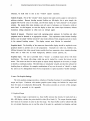
Any normal ASCII characters transmitted over the graphics
connection will be displayed in the current region.
In generally, it is good practice to use the
graphics connection for text output whenever feasible, as it is less susceptible to interference from
Interlisp or Tenex formatting operations.
ADISOFILE
ADISInit establishes a LISP file that can be used to direct output over the graphics
connection. ADISOFILE can be used as a file argument in any Interlisp output function
(e.g., PRINl, OUTFILE, as the dstfil argument to COPYBYTES, etc.). Bear in mind that
characters will not be displayed until appropriate buffers in MAXC are flushed (see
ADISFlush, above).
ADIsBOUT[n]
This function transmits the 8-bit byte n over the ADISOFILE connection to Chat.
Programmers should be warned that if n)127, Chat will interpret the byte as a protocol
command, with disastrous results.
ADISPRINl[obj] -and- ADISPRIN2[obj]
These functions are exactly like PRINI and PRIN2, except the characters will be transmitted
over the graphics connection and appear on the Chat display. The ADISPRIN functions
are provided so that (1) if the LISP program is not running under Chat, no error is
generated, and (2) for documentation in your program.
2.3 Inputfunctions
Chat is capable of reporting interactions with various graphical input devices to the LISP
program. The devices used in this way are a mouse, which has three keys and additionally steers
the cursor, a five-finger keyset, and 7 uninterpreted keys on the keyboard. Normal typing on the
keyboard is not noticed by these functions, but is instead transmitted to MAXC to serve as "teletype
input" to the LISP program.
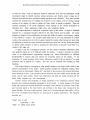
The functions deal with a single notion of "event," described by a LISP record: (RECORD EVENT
(x Y BUTTONCHANGES BUTTONS OTHERBUTTONS ELAPSED»; where x and y give the cursor location
at the time of the event; BUTTONCHANGES is an 8-bit number that has b~ts on corresponding to the
buttons that changed to cause the event (200Q is the left handset button, 100Q the next, etc., down
to 10Q the rightmost; 4Q is the top or left mouse button; lQ the middle, 2Q the bottom or right);
BUTTONS gives the state of the buttons after the change that caused the event (a bit on implies that
the button is depressed); OTHERBUTTONS is the present state of the various spare buttons on the
keyboard (200Q =lock, 100Q =left shift, 40Q =ctrl, 10Q =right shift, 4Q =B3, 2Q =Bl, lQ =B2);
ELAPSED gives the time that elapsed since the previous event (units of 1/27 second; maximum value
is 255).
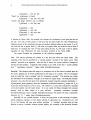
ADIsButtonEnable[EventEnables;TimerStartEnables;TimerStopEnables;Timerlnterval]
(Flush, ResetSave)
This function governs subsequent interpretation of button pushes. An "enable" is a 16bit mask that defines whether action should be taken on down or up transitions of the
buttons: it is (DownAlask)*256 + (UpMask), where each mask uses the same bit