1
144
gnuplot 5.0
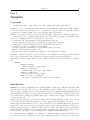
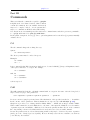
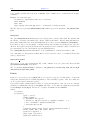
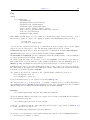
set object <index> ellipse {at|center} <position> size <w>,<h>
{angle <orientation>} {units xy|xx|yy}
{<other-object-properties>}
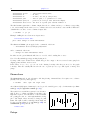
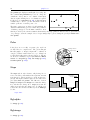
The position of the ellipse is specified by giving the center followed by the width and the height (actually
the major and minor axes). The keywords at and center are synonyms. The center position may be given
in axis, graph, or screen coordinates. See coordinates (p. 23). The major and minor axis lengths must
be given in axis coordinates. The orientation of the ellipse is specified by the angle between the horizontal
axis and the major diameter of the ellipse. If no angle is given, the default ellipse orientation will be used
instead (see set style ellipse (p. 164)). The units keyword controls the scaling of the axes of the ellipse.
units xy means that the major axis is interpreted in terms of units along the x axis, while the minor axis in
that of the y axis. units xx means that both axes of the ellipses are scaled in the units of the x axis, while
units yy means that both axes are in units of the y axis. The default is xy or whatever set style ellipse
units was set to.
NB: If the x and y axis scales are not equal, (e.g. units xy is in effect) then the major/minor axis ratio will
no longer be correct after rotation.
Note that set object ellipse size <2r>,<2r> does not in general produce the same result as set object
circle <r>. The circle radius is always interpreted in terms of units along the x axis, and will always
produce a circle even if the x and y axis scales are different and even if the aspect ratio of your plot is not
1. If units is set to xy, then ’set object ellipse’ interprets the first <2r> in terms of x axis units and the
second <2r> in terms of y axis units. This will only produce a circle if the x and y axis scales are identical
and the plot aspect ratio is 1. On the other hand, if units is set to xx or yy, then the diameters specified
in the ’set object’ command will be interpreted in the same units, so the ellipse will have the correct aspect
ratio, and it will maintain its aspect ratio even if the plot is resized.
Circle
Syntax:
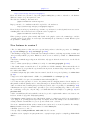
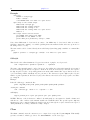
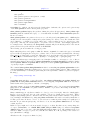
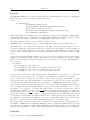
set object <index> circle {at|center} <position> size <radius>
{arc [<begin>:<end>]}
{<other-object-properties>}
The position of the circle is specified by giving the position of the center center followed by the radius. The
keywords at and center are synonyms. The position and radius may be given in x-axis, graph, or canvas
coordinates. See coordinates (p. 23). In all cases the radius is calculated relative to the horizontal scale
of the axis, graph, or canvas. Any disparity between the horizontal and vertical scaling will be corrected for
so that the result is always a circle. If you want to draw a circle in plot coordinates (such that it will appear
as an ellipse if the horizontal and vertical scales are different), use set object ellipse instead.
By default a full circle is drawn. The optional qualifier arc specifies a starting angle and ending angle, in
degrees, for one arc of the circle. The arc is always drawn counterclockwise.
See also set object ellipse (p. 143).
Polygon
Syntax:
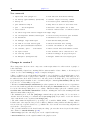
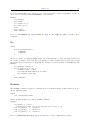
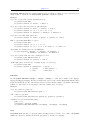
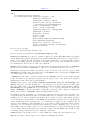
set object <index> polygon
from <position> to <position> ... {to <position>}
or
from <position> rto <position> ... {rto <position>}
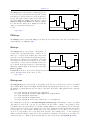
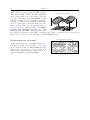
The position of the polygon may be specified by giving the position of a sequence of vertices. These may be
given in axis, graph, or screen coordinates. If relative coordinates are used (rto) then the coordinate type
must match that of the previous vertex. See coordinates (p. 23).
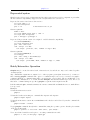
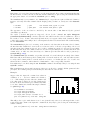
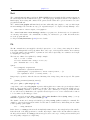
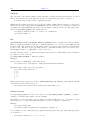
Example: