1
gnuplot 5.0
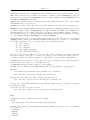
set
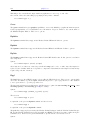
set
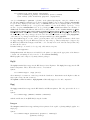
set
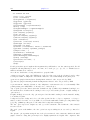
set
style
style
style
style
159
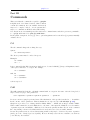
histogram <histogram style options>
line <n> <linestyle>
rectangle <object options> <linestyle> <fillstyle>
textbox {opaque|transparent} {{no}border}
Set style arrow
Each terminal has a default set of arrow and point types, which can be seen by using the command test.
set style arrow defines a set of arrow types and widths and point types and sizes so that you can refer to
them later by an index instead of repeating all the information at each invocation.
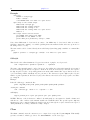
Syntax:
set style arrow <index> default
set style arrow <index> {nohead | head | heads}
{size <length>,<angle>{,<backangle>} {fixed}}
{filled | empty | nofilled | noborder}
{front | back}
{ {linestyle | ls <line_style>}
| {linetype | lt <line_type>}
{linewidth | lw <line_width} }
unset style arrow
show style arrow
<index> is an integer that identifies the arrowstyle.
If default is given all arrow style parameters are set to their default values.
If the linestyle <index> already exists, only the given parameters are changed while all others are preserved.
If not, all undefined values are set to the default values.
Specifying nohead produces arrows drawn without a head — a line segment. This gives you yet another
way to draw a line segment on the plot. By default, arrows have one head. Specifying heads draws arrow
heads on both ends of the line.
Head size can be controlled by size <length>,<angle> or size <length>,<angle>,<backangle>, where
<length> defines length of each branch of the arrow head and <angle> the angle (in degrees) they make
with the arrow. <Length> is in x-axis units; this can be changed by first, second, graph, screen, or
character before the <length>; see coordinates (p. 23) for details.
By default the size of the arrow head is reduced for very short arrows. This can be disabled using the fixed
keyword after the size command.
<backangle> is the angle (in degrees) the back branches make with the arrow (in the same direction as
<angle>). It is ignored if the style is nofilled.
Specifying filled produces filled arrow heads with a border line around the arrow head. Specifying noborder
produces filled arrow heads with no border. In this case the tip of the arrow head lies exactly on the endpoint
of the vector and the arrow head is slightly smaller overall. Dashed arrows should always use noborder,
since a dashed border is ugly. Not all terminals support filled arrow heads.
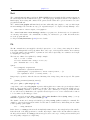
The line style may be selected from a user-defined list of line styles (see set style line (p. 162)) or
may be defined here by providing values for <line type> (an index from the default list of styles) and/or
<line width> (which is a multiplier for the default width).
Note, however, that if a user-defined line style has been selected, its properties (type and width) cannot be
altered merely by issuing another set style arrow command with the appropriate index and lt or lw.
If front is given, the arrows are written on top of the graphed data. If back is given (the default), the arrow
is written underneath the graphed data. Using front will prevent a arrow from being obscured by dense
data.
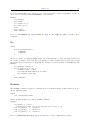
Examples:
To draw an arrow without an arrow head and double width, use:
set style arrow 1 nohead lw 2