1
166
gnuplot 5.0
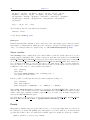
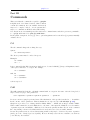
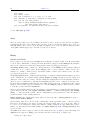
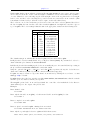
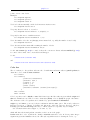
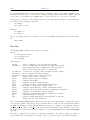
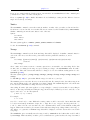
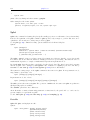
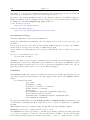
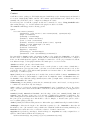
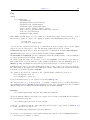
This helps in printing, for instance, when switching among different terminals — previous options don’t have
to be repeated.
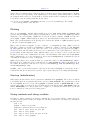
The command set term push remembers the current terminal including its settings while set term pop
restores it. This is equivalent to save term and load term, but without accessing the filesystem. Therefore
they can be used to achieve platform independent restoring of the terminal after printing, for instance. After
gnuplot’s startup, the default terminal or that from startup file is pushed automatically. Therefore portable
scripts can rely that set term pop restores the default terminal on a given platform unless another terminal
has been pushed explicitly.
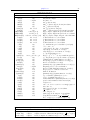
For more information, see the complete list of terminals (p. 190).
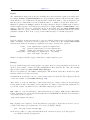
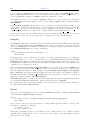
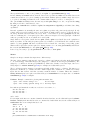
Termoption
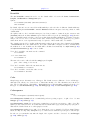
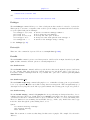
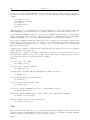
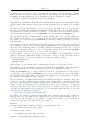
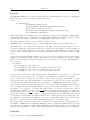
The set termoption command allows you to change the behaviour of the current terminal without requiring
a new set terminal command. Only one option can be changed per command, and only a small number of
options can be changed this way. Currently the only options accepted are
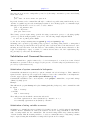
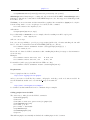
set termoption {no}enhanced
set termoption font "<fontname>{,<fontsize>}"
set termoption fontscale <scale>
set termoption {solid|dashed}
set termoption {linewidth <lw>}{lw <lw>}
Tics
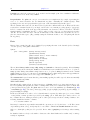
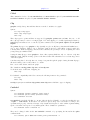
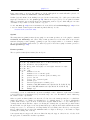
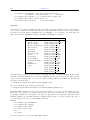
Control of the labeled tics on all axes at once is possible with the set tics command.
The tics may be turned off with the unset tics command, and may be turned on (the default state) with
set tics. Fine control of tics on individual axes is possible using the alternative commands set xtics, set
ztics, etc.
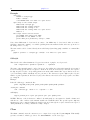
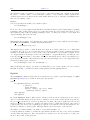
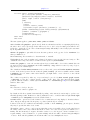
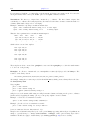
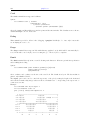
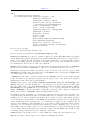
Syntax:
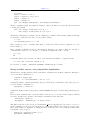
set tics {axis | border} {{no}mirror}
{in | out} {front | back}
{{no}rotate {by <ang>}} {offset <offset> | nooffset}
{left | right | center | autojustify}
{format "formatstring"} {font "name{,<size>}"} {{no}enhanced}
{ textcolor <colorspec> }
set tics scale {default | <major> {,<minor>}}
unset tics
show tics
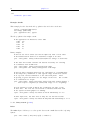
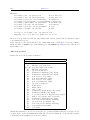
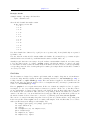
The options can be applied to a single axis (x, y, z, x2, y2, cb), e.g.
set xtics rotate by -90
unset cbtics
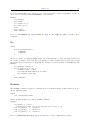
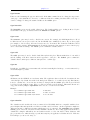
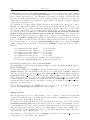
Set tics front or back applies to all axes at once, but only for 2D plots (not splot). It controls whether the
tics are placed behind or in front of the plot elements, in the case that there is overlap.
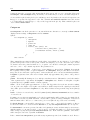
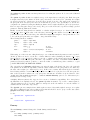
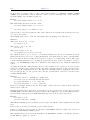
axis or border tells gnuplot to put the tics (both the tics themselves and the accompanying labels) along
the axis or the border, respectively. If the axis is very close to the border, the axis option will move the tic
labels to outside the border in case the border is printed (see set border (p. 108)). The relevant margin
settings will usually be sized badly by the automatic layout algorithm in this case.
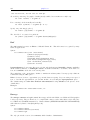
mirror tells gnuplot to put unlabeled tics at the same positions on the opposite border. nomirror does
what you think it does.
in and out change the tic marks to be drawn inwards or outwards.
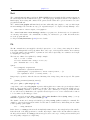
set tics scale controls the size of the tic marks. The first value <major> controls the auto-generated or
user-specified major tics (level 0). The second value controls the auto-generated or user-specified minor tics