1
Simfatic Forms User Manual : UI Reference
Undo, Redo
You can undo the operations multiple levels by pressing the undo button. (Keyboard
shortcut Ctrl+Z).The undone operation can be re-acted by pressing the redo button.
The undo and redo buttons are in the 'Standard tab)
Grid
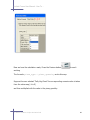
Grid enables better placement of the controls. Press the Grid button to enable grid.
When the grid is enabled, the controls drawn on the form snaps to the grid while
sizing and while moving.
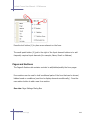
Align
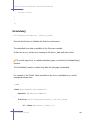
The Align buttons (Align left, right, top, middle or bottom) helps in arranging the
elements. Select multiple elements and press one of the align buttons. This places the
elements aligned to the selected side.
There are buttons to make the size (width or height ) same as well.
The align operations tries to align with the First selected element in the group.
Above/Below
5.6 'Draw the form' Page
216