1
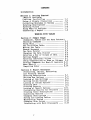
CONTENTS
Introduction
Section 1: Getting Started
(What-If Analysis)
L o ad 'i n g P r o f i t P 1 a n • • • • • • • • • • • • • • • • • • •
Doing a Simple Projection ••••••••••••
Correcting Mistakes in Typing ••••••••
Entering Descriptions ••••••••••••••••
Entering Values ••••••••••••••••••••••
Doing What-If Analysis •••••••••••••••
Generating a Report ••••••••••••••••••
1•1
1.2
1.3
1.3
1.4
1.7
1.8
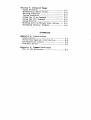
WORKING WITH TABLES
Section 2: Simple Usage
(Commands, Tables and the Data Pointer)
Choosing Commands •••••••••••••••••••• 2.1
Using Help ••••••••••••••••••••••••••• 2.2
The ProfitPlan Table ••••••••••••••••• 2.2
Moving the Table ••••••••••••••••••••• 2.3
Escape Sequence •••••••••••••••••••••• 2.4
The Data Pointer ••••••••••••••••••••• 2.4
Changing the Data Pointer •••••••••••• 2.5
Entering a Row or Column of Data ••••• 2.5
Setting Ranges ••••••••••••••••••••••• 2.6
Entering Individual Values ••••••••••• 2.7
Doing Computations on Rows or Columns 2.9
Storing Commands for What-If Analysis 2.11
More What-If •••••••••••••••••••••••• 2.11
Computing Order ••••••••••••••••••••• 2.14
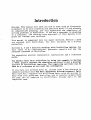
Section 3: Report Generator
(Formatting, Saving, Retrieving
and Printing Tables)
Entering Descriptions •••••••••••••••• 3.1
Setting Row Options •••••••••••••••••• 3.3
Looking at Row Settings •••••••••••••• 3.4
Setting Column Options ••••••••••••••• 3.5
Looking at Column Options •••••••••••• 3.5
Entering Data •••••••••••••••••••••••• 3.6
Printing Reports ••••••••••••••••••••• 3.7
Looking at Report Options ••••••••••• 3.11
Customizing Reports for Printers •••• 3.11
Printing Table Descriptions ••••••••• 3.12
Cancel 1 ing Reports • • • • • • • • • • • • • • • • • • 3 .13
Changing Descriptions ••••••••••••••• 3.13
Saving and Loading Tables ••••••••••• 3.14
Maintaining Tables •••••••••••••••••• 3.14
Changing Disk Drives •••••••••••••••• 3.15
Interfacing with Word Processors •••• 3.15
I